· deepdives · 7 min read
WebUSB API vs. Web Serial API: Which Should You Use for Your Next Project?
A practical comparison of WebUSB and Web Serial: how they differ, real-world use cases, code examples, browser support, security considerations, and a decision checklist so you can pick the right API for your next hardware-enabled web project.
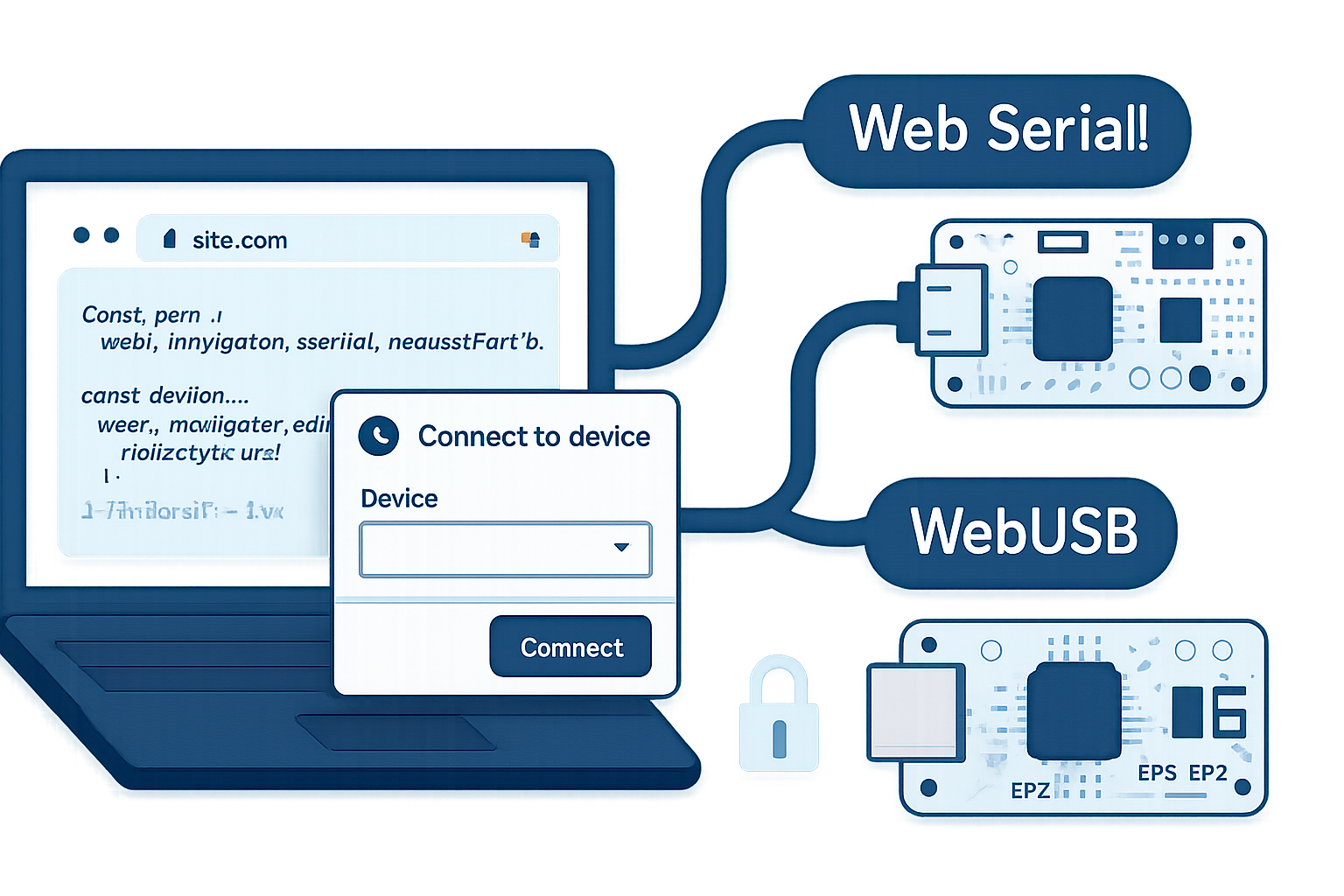
Outcome first: after reading this you’ll know which browser API-WebUSB or Web Serial-matches your device and project goals, how to implement a minimum working connection, and the trade-offs that matter in production.
Why this matters. Browsers are no longer confined to page rendering. They can talk directly to hardware. That opens powerful possibilities: in-browser firmware updaters, device dashboards, hardware diagnostics, and remote device control-without installing native apps. But pick the wrong API and you’ll waste weeks trying to shoehorn a device into the wrong abstraction.
Quick verdict
- Use Web Serial when your device exposes a serial (UART/CDC-ACM) interface-common for microcontrollers, 3D printers, many sensors and dev-boards. It’s simple: open a port, set baud, read/write bytes.
- Use WebUSB when your device uses custom USB endpoints or needs low-level USB control transfers-think firmware flashing, device-specific control, composite USB devices, or anything that is not plain serial.
Read on for details, examples, code, and a short decision checklist.
The core difference (conceptually)
- Web Serial works at the serial-port level. It assumes the device speaks a byte stream with configurable parameters (baud rate, parity, stop bits). You treat the connection like a serial cable.
- WebUSB is a low-level USB transport. You can claim interfaces, perform control transfers, and exchange data with specific USB endpoints. It’s the API of choice when the device implements custom USB protocols.
Put another way: if your device behaves like a UART, use Web Serial. If it exposes custom endpoints, or you need control transfers, use WebUSB.
Capabilities compared
Protocol level
- Web Serial: Serial stream (RS-232/USB-CDC). High-level framing must be implemented by you if needed.
- WebUSB: USB endpoints, control/bulk/interrupt transfers, interface claiming.
Permission model
- Both require user gestures and explicit permission prompts. Permissions are per-origin and can be revoked in the browser.
Browser support
- Both are implemented in Chromium-based browsers (Chrome, Edge). Support in Safari/Firefox is limited or absent-check current compatibility before shipping. See compatibility status: WebUSB and Web Serial on “Can I use”.
Ease of use
- Web Serial: minimal setup-open port, set baud, read/write streams.
- WebUSB: more steps-choose device, open, select configuration, claim interface, then transfers.
Device discovery
- Web Serial: call navigator.serial.requestPort() to prompt the user and/or navigator.serial.getPorts() to enumerate previously granted ports.
- WebUSB: navigator.usb.requestDevice({ filters: […] }) prompts the user; you can also call navigator.usb.getDevices() for previously-authorized devices.
References: WebUSB spec and Web Serial spec, and MDN docs are helpful-see links at the end.
Real-world examples and when to use each
- Microcontroller REPL, sensor readouts, or a browser-based terminal
- Use Web Serial. Example: connecting to an Arduino Nano or ESP32 that’s exposing a serial console over USB (CDC-ACM). You only need to open the port and exchange text or binary.
- Firmware flasher for a device with a custom USB bootloader
- Use WebUSB. Bootloaders often expose vendor-specific USB endpoints and require control transfers to trigger flash operations.
- 3D printer control (G-code over serial)
- Use Web Serial. Most printers speak G-code over a serial connection.
- USB-to-CAN adapter with a vendor-specific protocol
- Use WebUSB. If the adapter defines vendor endpoints for CAN frames, you need the endpoint-level access.
- HID-like behaviors: custom game controller, keyboard, or mouse
- Consider WebHID for HID devices. WebUSB can be used if the device is not HID-class or you need lower-level control.
Minimal working examples
Below are minimal snippets to get you started. These are intentionally concise; add production concerns (time-outs, reconnect logic, error handling) in real projects.
Web Serial - basic terminal
// Request a port from the user
const port = await navigator.serial.requestPort();
// Open with desired baud rate
await port.open({ baudRate: 115200 });

// Writer
const encoder = new TextEncoderStream();
const writableStreamClosed = encoder.readable.pipeTo(port.writable);
const writer = encoder.writable.getWriter();
await writer.write('hello\n');

// Reader
const decoder = new TextDecoderStream();
const readableStreamClosed = port.readable.pipeTo(decoder.writable);
const reader = decoder.readable.getReader();

while (true) {
  const { value, done } = await reader.read();
  if (done) break;
  console.log('Received:', value);
}
Notes: port.open() accepts serial settings (baudRate, dataBits, parity, stopBits). Use getPorts() to reconnect to previously authorized ports without prompting.
References: MDN Web Serial docs: https://developer.mozilla.org/en-US/docs/Web/API/Serial
WebUSB - claim interface and read a bulk endpoint
// Ask the user to pick a device matching a vendor/product filter
const device = await navigator.usb.requestDevice({
  filters: [{ vendorId: 0x2341 }], // example vendor (Arduino)
});
await device.open();
if (device.configuration === null) await device.selectConfiguration(1);
await device.claimInterface(2); // claim the interface index you need

// Perform a control transfer
const res = await device.controlTransferOut({
  requestType: 'vendor',
  recipient: 'interface',
  request: 0x01,
  value: 0x0001,
  index: 2,
});

// Read bulk endpoint 5
const readResult = await device.transferIn(5, 64);
console.log(new Uint8Array(readResult.data.buffer));
Notes: WebUSB requires filters in requestDevice() (browser may require non-empty filters). You need to know configuration and interface numbers (or discover them with device.configuration.badge).
References: MDN WebUSB docs: https://developer.mozilla.org/en-US/docs/Web/API/USB
Security and privacy considerations
- User consent is mandatory. Browsers show a prompt and, on grant, the origin can remember the device permission.
- HTTPS is required (secure context). You cannot use these APIs on plain HTTP.
- Exposing hardware in the browser increases the attack surface. Keep firmware update paths and control commands guarded.
- The host cannot access system drivers; conversely, OS-level drivers may claim devices and block browser access (or vice versa). For example, on some OSes, a kernel driver may claim a USB device and make WebUSB access impossible until the driver is detached.
- Permissions are per-origin but persistent. Users can review/revoke permissions in browser settings.
Browser support and deployment tips
- Both APIs ship in Chromium-based browsers. Firefox and Safari historically lagged. Always check current compatibility before relying on them in production: https://caniuse.com/webusb and https://caniuse.com/web-serial
- Testing: test on Windows, macOS, Linux, and ChromeOS-device behavior and driver interactions can vary.
- Fallback: provide a native fallback (desktop app or server-side bridge) when a browser doesn’t support the required API.
A short decision checklist (practical)
- Does the device speak plain serial (a byte stream over USB)? If yes → Web Serial.
- Does the device require control transfers, use custom endpoints, or expose multiple USB interfaces? If yes → WebUSB.
- Will users primarily use non-Chromium browsers (Safari, Firefox)? If yes → plan for fallbacks.
- Do you need HID semantics (like keyboard/gamepad)? Consider WebHID. If device is not HID-class but you need HID-like access → WebUSB.
- Does your host OS claim the device with a driver that blocks browser access? Test early-drivers can ruin WebUSB access.
Real project scenarios (concrete)
- Browser-based firmware flasher for a custom IoT device: WebUSB. You need to send vendor-specific control transfers and write to device flash.
- Online serial terminal for education makers: Web Serial. Let students interact with microcontroller REPLs without drivers.
- Browser dashboard for USB sensors with vendor API: WebUSB. Use endpoint-level transfers to configure sample rates.
- Remote G-code sender for 3D printers: Web Serial. Stream G-code lines at controlled flow and read ACKs.
Implementation tips and gotchas
- Always wrap hardware interactions in try/catch and present clear UI feedback (permission prompt, connect status, errors).
- For WebUSB, enumerate device.configuration.interfaces to discover interfaces and endpoints dynamically.
- For Web Serial, beware of platform-specific line endings and encoding-use TextEncoder/TextDecoder where appropriate.
- If you need to support older browsers, provide a native helper app or use a local websocket bridge that exposes the serial/USB device to the browser.
References and further reading
- Web Serial API (spec + resources): https://wicg.github.io/serial/ and MDN: https://developer.mozilla.org/en-US/docs/Web/API/Serial
- WebUSB API (spec + resources): https://wicg.github.io/webusb/ and MDN: https://developer.mozilla.org/en-US/docs/Web/API/USB
- Google Developer article introducing WebUSB: https://developers.google.com/web/updates/2016/03/access-usb-devices-on-the-web
- Browser support: Can I use - WebUSB: https://caniuse.com/webusb and Web Serial: https://caniuse.com/web-serial
Final takeaway
Both APIs are powerful tools that bring physical devices into the browser. But the right choice is pragmatic: if your device behaves like a serial port, pick Web Serial for simplicity and a fast path to working demos. If you need low-level USB control, endpoint-level transfers, or vendor-specific functionality, choose WebUSB. The match between device protocol and API is the single most important decision you’ll make-get that right and everything else will fall into place.