· deepdives · 7 min read
WebUSB API vs Traditional USB Communication: A Game Changer?
An in-depth comparison of the WebUSB API and traditional USB communication approaches. Learn when WebUSB can accelerate development and user experience-and when native drivers and libraries remain essential.
Outcome: by the end of this article you’ll be able to decide whether to build a browser-based USB flow with WebUSB or keep (or combine) a traditional native-driver approach.
Web access to hardware sounds like magic. It is powerful, but it comes with trade-offs. We’ll compare WebUSB and traditional USB communication across capabilities, developer experience, security, performance, and real-world scenarios so you can pick the right tool for your project.
Quick takeaway
- Use WebUSB when you want fast, cross-platform, zero-install device onboarding, demos, education, or simple configuration/firmware flows delivered from the browser.
- Use traditional native drivers (libusb, WinUSB, vendor SDKs, or platform-specific drivers) when you need the lowest-level control, highest throughput, wide OS support, background services, or kernel-level features.
- In many cases a hybrid approach is best: WebUSB for first-run onboarding and UI; native apps/drivers for production-grade or high-performance use.
What is WebUSB - short and practical
WebUSB is a browser API that lets web pages talk to USB devices directly from JavaScript. The platform enforces origin-based permissions and user gestures to open a secure channel to a device. WebUSB is specified at the W3C (WICG/CGA) and implemented primarily in Chromium-based browsers.
- Spec and overview: https://wicg.github.io/webusb/
- MDN reference and compatibility details: https://developer.mozilla.org/en-US/docs/Web/API/USB
- Chrome Getting Started guide: https://developer.chrome.com/articles/getting-started-webusb/
Example: a simplified WebUSB flow in JavaScript
// Ask user to pick a device (filter by vendor/product IDs if you like)
const device = await navigator.usb.requestDevice({
  filters: [{ vendorId: 0x1234 }],
});
await device.open();
if (!device.configuration) await device.selectConfiguration(1);
await device.claimInterface(0);
// Send bulk transfer
await device.transferOut(1, new Uint8Array([0x01, 0x02]));
// Read response
const result = await device.transferIn(1, 64);
console.log(new Uint8Array(result.data.buffer));
This concise API surfaces most common patterns (enumeration, claimInterface, transferIn/transferOut) and hides many platform- and driver-level complexities.
Traditional USB communication at a glance
Traditional approaches include:
- Native drivers provided by device vendors (kernel-mode or user-mode drivers).
- Generic cross-platform libraries like libusb (C), pyusb (Python), node-usb (Node.js).
- Platform-specific APIs like WinUSB on Windows, IOKit on macOS, libusb-based stacks on Linux.
- USB class-specific transports: CDC/ACM (virtual serial), HID, Mass Storage, etc.
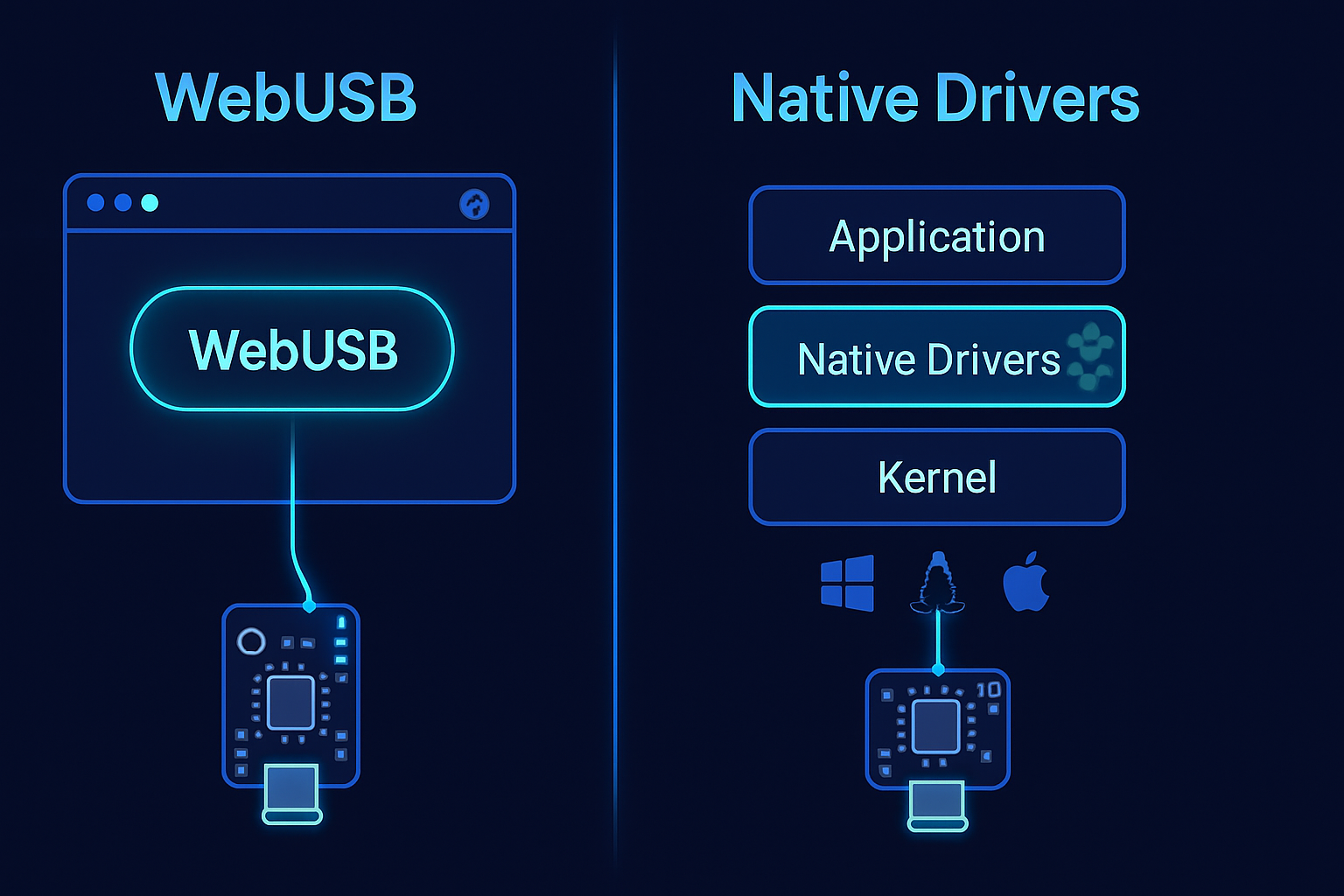
These methods run outside the browser, and they typically require installing drivers or shipping native binaries.
- libusb: https://libusb.info/
- pyusb: https://github.com/pyusb/pyusb
- Microsoft WinUSB: https://learn.microsoft.com/windows-hardware/drivers/usbcon/using-winusb
Compare: developer experience
WebUSB advantages:
- Zero-install: users can open a webpage and connect. No driver download in many cases.
- Fast iteration: web tooling (hot reload, simple deployment) accelerates development and demos.
- Single codebase for UI: frontend teams can implement hardware UIs without a native app.
- Easy distribution: share a URL.
Traditional advantages:
- Full control of the USB stack, sophisticated error handling, and access to OS-level features.
- Mature tooling and debug ecosystems on desktop platforms.
- Better support for background services, system integration, and persistent drivers.
Bottom line: WebUSB dramatically lowers the bar for building and shipping hardware UIs. But you trade off some control and platform reach.
Compare: security and permission model
WebUSB:
- Origin-based permissions and user gestures reduce stealthy device access.
- Browsers prompt the user to select a device; the site can’t enumerate devices silently.
- Some devices can include a special WebUSB descriptor that offers a landing page for drivers or firmware.
Traditional:
- Native apps can access devices without browser-level constraints, which is needed for background services and system-level integrations.
- However, native drivers increase the attack surface and require careful privilege/release management.
Security takeaway: WebUSB is safer by default for web contexts, but its reduced privileges can also limit legitimate uses that require deeper system integration.
Compare: platform and browser support
- WebUSB is implemented mainly in Chromium-based browsers (Chrome, Edge, Opera) on desktop and Android. Support in Safari and Firefox is limited or absent.
- Native solutions run wherever you can compile the driver or library: Linux, Windows, macOS are all supported by libusb/WinUSB with varying levels of maturity.
Check up-to-date browser compatibility on MDN: https://developer.mozilla.org/en-US/docs/Web/API/USB#browser_compatibility
Practical implication: if your user base includes Safari/iOS or Firefox-heavy environments, WebUSB may not be reliable as your only option.
Compare: capabilities and performance
Where WebUSB excels:
- Control transfers, bulk transfers, and most control-path workflows that fit single-session interactions.
- Simpler data flows (configuration, reading sensors, issuing commands) perform well enough for interactive UIs.
Where native wins:
- High-throughput streaming (e.g., isochronous audio/video streams, heavy data logging) often needs native drivers.
- Low-latency requirements and fine-grained scheduling are better served by native code.
- Access to kernel drivers, background operation, or exclusive device access (locking) is usually only possible natively.
Note: browser implementations and USB host stacks add overhead. Benchmarks will vary; always test with your device and workflow.
Use cases where WebUSB can be a game changer
- Plug-and-play device onboarding from a web-based dashboard (IoT provisioning, Wi‑Fi setup).
- Firmware flashing and device updates initiated from a web page-no installer required for users.
- Educational setups and hardware labs where students connect devices and interact via an interactive web page.
- Sales demos and live peripherals testing where shipping a link is easier than shipping a native app.
- Rapid prototyping: engineers and product folks can iterate on UI + device behavior without packaging a desktop client.
Examples and inspiration:
- Web-based firmware flashers that run on Chromebook or Windows without custom installers.
- In-browser hardware lab platforms for classrooms where students use the same web UI across OSes.
Scenarios where traditional USB remains essential
- Production instrumentation, manufacturing lines, or medical devices needing guaranteed reliability and background services.
- Complex devices requiring custom kernel-mode drivers or vendor-specific driver stacks.
- Environments that block Chromium-based browsers or forbid running web code due to policy.
- Very high data-rate streaming (real-time audio/video over isochronous endpoints) where OS-level scheduling and driver capabilities matter.
Hybrid strategies - the pragmatic middle ground
Progressive enhancement
- Offer WebUSB for discovery, simple flows, and demos.
- Detect lack of WebUSB support and surface a native client download or a server-assisted flow.
Offload heavy work to native sidecars
- Use a lightweight native helper (service/daemon) for high-throughput or background tasks and a web UI that talks to it via localhost or WebSockets.
Use appropriate web APIs
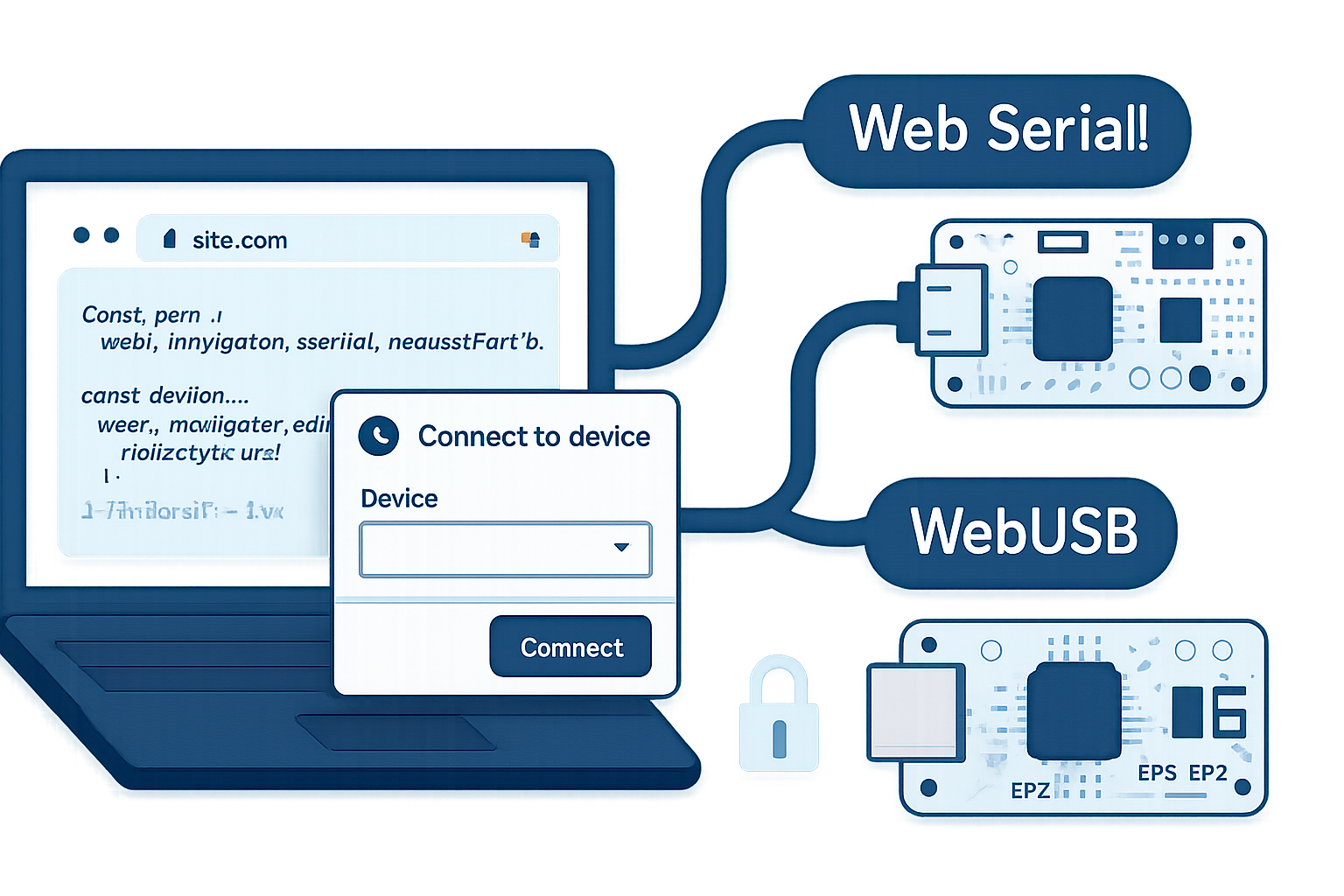
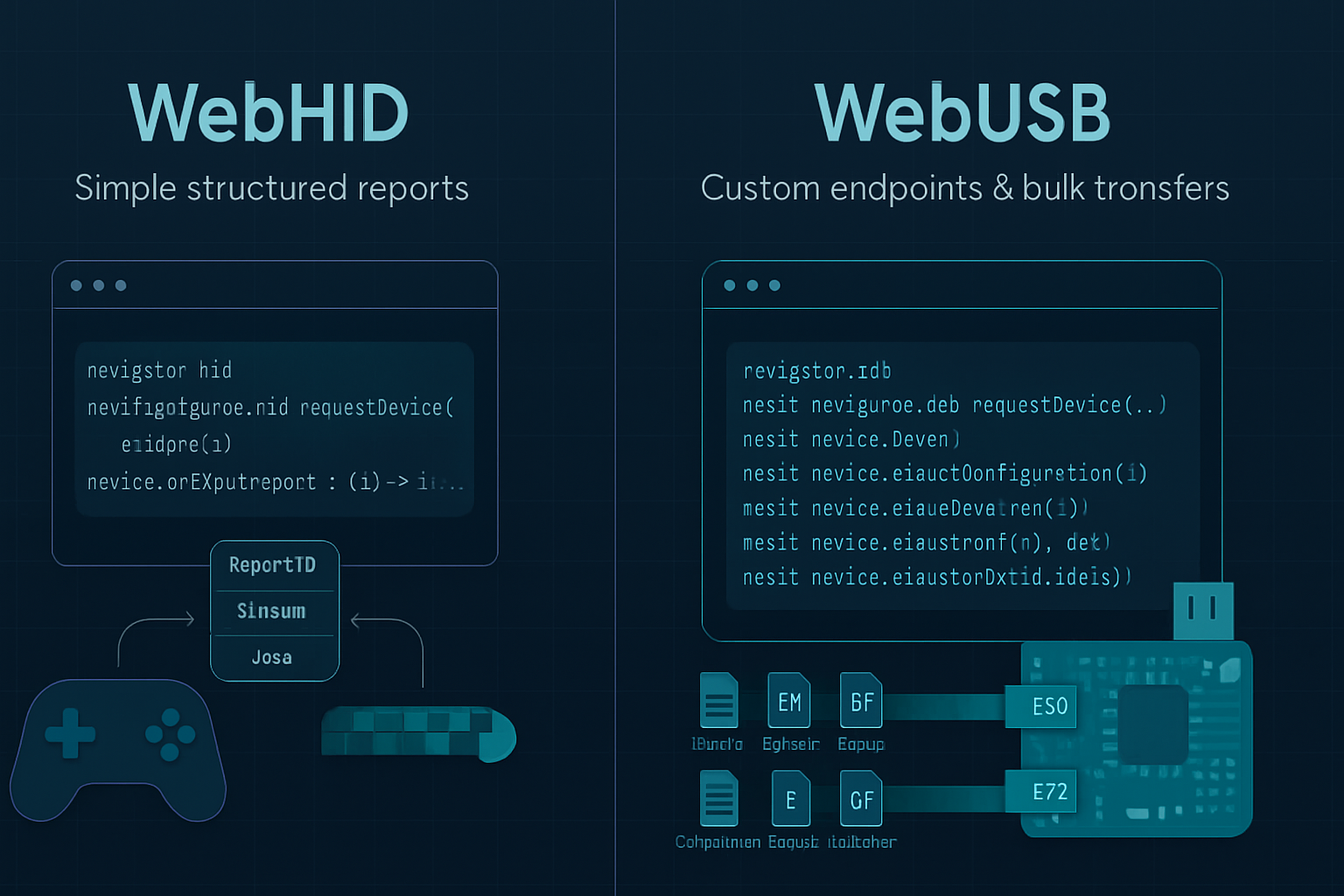
- For HID-like controls, WebHID may be a better fit: https://developer.mozilla.org/en-US/docs/Web/API/HID
- For serial devices, consider Web Serial: https://developer.mozilla.org/en-US/docs/Web/API/Serial
Provide thorough fallbacks
- Clear messaging when the browser lacks support, plus direct links for native downloads or CLI tools.
Developer checklist before choosing WebUSB
- Does your target audience use Chromium-based browsers? If not, do you have a fallback plan?
- Are you OK with user-driven permission flows and the limitations they impose (no silent enumeration, no background access)?
- Does your device require kernel-level drivers or very high throughput? If yes, consider native.
- Can you add a WebUSB platform capability descriptor to improve UX? (Some devices include descriptors to point browsers to a landing page.)
- Will you provide firmware update or critical operations in a browser? Add extra safety checks and explicit user confirmations.
Practical pitfalls and gotchas
- Browser support fragmentation: testing across Chrome, Edge, Android Chrome and others is necessary.
- Device claiming conflicts with OS drivers: if a device is bound to a kernel driver, you may not be able to claim the interface without unbinding.
- Persistent device permissions can be cleared by users or limited by browser policies.
- WebUSB cannot do everything: device firmware might expect vendor drivers or special kernel-level hooks.
Security and privacy considerations
- Always use HTTPS. WebUSB requires a secure context.
- Filter your device list when calling requestDevice to avoid asking the user to pick unrelated devices.
- Clearly explain what data you will read and why. The permission prompt alone is not sufficient UX for sensitive operations.
Migration and implementation plan (5 steps)
- Feature-detect: if (!(‘usb’ in navigator)) show fallback.
- Start with non-critical flows in WebUSB (onboarding, demos).
- Build native fallbacks or a helper service for heavy tasks.
- Add robust error handling and reconnection logic for disconnected devices.
- Monitor performance and security issues; iterate.
Final recommendation
WebUSB is a genuine productivity multiplier for many modern hardware workflows. It’s especially valuable for onboarding, demos, and lightweight device control-places where removing the friction of driver installs and native packages directly improves conversion, usability, and developer velocity.
But it’s not a universal replacement. For high-throughput, background, or kernel-dependent scenarios, native drivers and libraries remain essential. The smart approach is hybrid: leverage WebUSB where it shines and fall back to native tooling when you need deeper system access.
Decide by risk and value. If removing installation friction unlocks user adoption or speeds development dramatically, try WebUSB first. If your device must run in the background, stream large data, or integrate tightly with the OS, keep the native path. The browser did not replace drivers; it amplified what you can do quickly and broadly. Use that amplification where it helps most.