· deepdives · 8 min read
Building a Serial Monitor with Web Serial API and Vanilla JS
Learn how to build a cross-platform serial monitor using only HTML, CSS, and vanilla JavaScript with the Web Serial API. This practical guide covers connecting to devices, streaming data, real-time charting, and robust error handling to enhance your IoT projects.
Outcome-first introduction
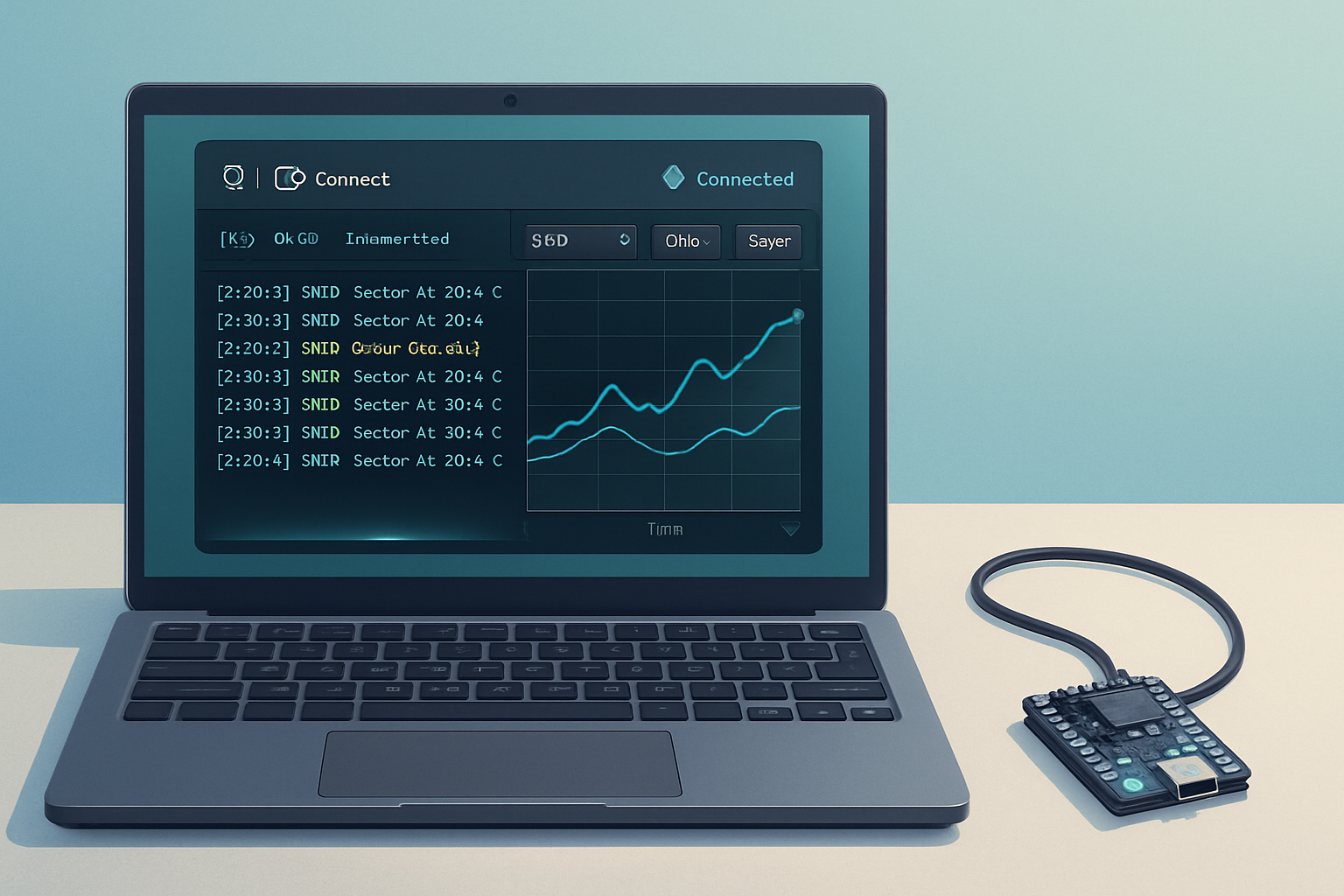
Start building a serial monitor you can open in a browser and use with an Arduino, ESP32, or any USB serial device - no Node.js server required. In the next ~15–30 minutes you’ll have a working web page that connects to a serial device, streams lines of sensor data to a scrolling log, draws a real-time chart, and recovers gracefully from errors and device disconnects.
Why this matters
- Zero-install for many users: modern Chromium-based browsers support the Web Serial API.
- Works cross-platform (Windows/macOS/Linux) for serial devices that present as USB CDC/ACM.
- Great for IoT development: quick telemetry visualization and debugging.
Quick compatibility notes
- The Web Serial API is available in Chromium-based browsers (Chrome, Edge). Check current status: https://developer.mozilla.org/en-US/docs/Web/API/Serial and https://web.dev/serial/.
- The user must grant permission through a browser prompt when calling navigator.serial.requestPort().
What we’ll build (high level)
- A minimal HTML UI: Connect/Disconnect, baud selection, live log, and a canvas-based real-time chart.
- Vanilla JS code to request a port, open it, read a text stream line-by-line, parse numeric payloads, and push values to the chart.
- Error handling: permission denial, device disconnect, parsing errors, and automatic reconnection via previously-authorized ports.
Prerequisites
- A modern Chromium-based browser.
- A serial device that sends newline-terminated ASCII (e.g., “23.4\n”).
- Basic HTML/CSS/JS knowledge.
HTML skeleton (paste into index.html)
<!doctype html>
<html lang="en">
  <head>
    <meta charset="utf-8" />
    <meta name="viewport" content="width=device-width,initial-scale=1" />
    <link rel="stylesheet" href="styles.css" />
  </head>
  <body>
    <main>
      <section class="controls">
        <select id="baud">
          <option value="9600">9600</option>
          <option value="19200">19200</option>
          <option value="38400">38400</option>
          <option value="57600">57600</option>
          <option value="115200" selected>115200</option>
        </select>
        <button id="connectBtn">Connect</button>
        <button id="disconnectBtn" disabled>Disconnect</button>
        <button id="clearBtn">Clear</button>
        <button id="exportBtn">Export CSV</button>
        <div id="status">Idle</div>
      </section>

      <section class="visuals">
        <canvas id="chart" width="800" height="200"></canvas>
        <pre id="log" class="log"></pre>
      </section>
    </main>
    <script src="app.js"></script>
  </body>
</html>
CSS (styles.css) - keep it simple and responsive
:root {
  font-family:
    system-ui,
    -apple-system,
    Segoe UI,
    Roboto,
    'Helvetica Neue',
    Arial;
  color: #0b1220;
}
body {
  margin: 0;
  padding: 16px;
  background: #f6fbff;
}
main {
  max-width: 1000px;
  margin: 0 auto;
}
.controls {
  display: flex;
  gap: 8px;
  align-items: center;
  margin-bottom: 12px;
}
.controls select,
.controls button {
  padding: 8px 12px;
  border-radius: 6px;
  border: 1px solid #d0e6fb;
  background: #fff;
}
#status {
  margin-left: auto;
  color: #0b7;
  font-weight: 600;
}
.visuals {
  display: flex;
  gap: 12px;
}
#chart {
  background: #fff;
  border: 1px solid #e0eefb;
  border-radius: 6px;
}
.log {
  flex: 1;
  height: 200px;
  overflow: auto;
  padding: 8px;
  background: #001122;
  color: #dff;
  border-radius: 6px;
}

@media (max-width: 800px) {
  .visuals {
    flex-direction: column;
  }
}
The JavaScript (app.js)
This is the heart of the monitor. It:
- requests/opens a serial port
- reads text data using the Streams API
- parses newline-delimited lines
- maintains a buffer of recent numeric values for charting
- exposes connect/disconnect, clear, and export functionality
// app.js
const connectBtn = document.getElementById('connectBtn');
const disconnectBtn = document.getElementById('disconnectBtn');
const clearBtn = document.getElementById('clearBtn');
const exportBtn = document.getElementById('exportBtn');
const logEl = document.getElementById('log');
const statusEl = document.getElementById('status');
const baudSel = document.getElementById('baud');
const canvas = document.getElementById('chart');
const ctx = canvas.getContext('2d');

let port = null;
let reader = null;
let inputDone = null;
let outputDone = null;
let writer = null;
let buffer = '';
let values = []; // numeric values for charting
const MAX_POINTS = 200;

// Utilities
function log(msg, type = 'log') {
  const time = new Date().toLocaleTimeString();
  logEl.textContent += `[${time}] ${msg}\n`;
  logEl.scrollTop = logEl.scrollHeight;
}

function setStatus(s) {
  statusEl.textContent = s;
}

// Charting: simple scrolling line chart using canvas
function drawChart() {
  ctx.clearRect(0, 0, canvas.width, canvas.height);
  ctx.fillStyle = '#fff';
  ctx.fillRect(0, 0, canvas.width, canvas.height);

  if (values.length === 0) return;

  // compute min/max for dynamic scaling
  const min = Math.min(...values);
  const max = Math.max(...values);
  const range = Math.max(1, max - min);

  ctx.beginPath();
  ctx.lineWidth = 2;
  ctx.strokeStyle = '#007acc';

  values.forEach((v, i) => {
    const x = (i / (MAX_POINTS - 1)) * canvas.width;
    const y = canvas.height - ((v - min) / range) * canvas.height;
    if (i === 0) ctx.moveTo(x, y);
    else ctx.lineTo(x, y);
  });

  ctx.stroke();

  // draw min/max labels
  ctx.fillStyle = '#222';
  ctx.font = '12px sans-serif';
  ctx.fillText(max.toFixed(2), 6, 12);
  ctx.fillText(min.toFixed(2), 6, canvas.height - 6);
}

function scheduleDraw() {
  requestAnimationFrame(drawChart);
}

// Parsing: accumulate text and split by newline
function handleChunk(chunk) {
  buffer += chunk;
  let idx;
  while ((idx = buffer.indexOf('\n')) >= 0) {
    const line = buffer.slice(0, idx).trim();
    buffer = buffer.slice(idx + 1);
    if (line.length) {
      onLine(line);
    }
  }
}

function onLine(line) {
  log(line);
  // Try to parse a number at the start of the line
  const m = line.match(/[-+]?\d*\.?\d+(?:[eE][-+]?\d+)?/);
  if (m) {
    const num = Number(m[0]);
    if (!Number.isNaN(num)) {
      values.push(num);
      if (values.length > MAX_POINTS) values.shift();
      scheduleDraw();
    }
  }
}

// Connect to port
async function connect() {
  try {
    // Prefer previously authorized ports (no user prompt) when possible
    const ports = await navigator.serial.getPorts();
    if (ports.length) {
      port = ports[0];
    } else {
      // prompt the user
      port = await navigator.serial.requestPort();
    }

    const baudRate = Number(baudSel.value) || 115200;
    await port.open({ baudRate });
    setStatus('Connected');
    connectBtn.disabled = true;
    disconnectBtn.disabled = false;

    // Setup reader (text)
    const decoder = new TextDecoderStream();
    inputDone = port.readable.pipeTo(decoder.writable);
    const inputStream = decoder.readable;
    reader = inputStream.getReader();

    // Optionally setup writer
    const encoder = new TextEncoder();
    writer = port.writable.getWriter();

    readLoop();

    // Listen for device connect/disconnect events (Chromium)
    navigator.serial.addEventListener('disconnect', e => {
      if (e.port === port) {
        log('Device disconnected');
        disconnect();
      }
    });
  } catch (err) {
    console.error('Connect error', err);
    log('Connection failed: ' + (err.message || err));
    setStatus('Error');
  }
}

// Read loop: continuously read lines
async function readLoop() {
  try {
    while (true) {
      const { value, done } = await reader.read();
      if (done) break;
      if (value) handleChunk(value);
    }
  } catch (err) {
    console.error('Read loop error', err);
    log('Read error: ' + (err.message || err));
  } finally {
    // Clean up
    if (reader) {
      try {
        await reader.cancel();
      } catch (e) {}
      reader.releaseLock?.();
      reader = null;
    }
    setStatus('Disconnected');
    connectBtn.disabled = false;
    disconnectBtn.disabled = true;
  }
}

// Disconnection & cleanup
async function disconnect() {
  try {
    setStatus('Disconnecting...');
    if (reader) {
      await reader.cancel();
      reader = null;
    }
    if (inputDone) {
      await inputDone.catch(() => {});
      inputDone = null;
    }
    if (writer) {
      try {
        writer.releaseLock();
      } catch (e) {}
      writer = null;
    }
    if (port) {
      await port.close();
      port = null;
    }
    setStatus('Disconnected');
    connectBtn.disabled = false;
    disconnectBtn.disabled = true;
  } catch (err) {
    console.error('Disconnect error', err);
    log('Disconnect failed: ' + (err.message || err));
    setStatus('Error');
  }
}

// Send data to device (optional helper)
async function send(text) {
  if (!writer) {
    log('No writer available');
    return;
  }
  try {
    const encoder = new TextEncoder();
    await writer.write(encoder.encode(text));
  } catch (err) {
    console.error('Write error', err);
    log('Write failed: ' + (err.message || err));
  }
}

// UI wiring
connectBtn.addEventListener('click', connect);
disconnectBtn.addEventListener('click', disconnect);
clearBtn.addEventListener('click', () => {
  logEl.textContent = '';
  values = [];
  scheduleDraw();
});
exportBtn.addEventListener('click', () => {
  const csv = values.map((v, i) => `${i},${v}`).join('\n');
  const blob = new Blob([csv], { type: 'text/csv' });
  const url = URL.createObjectURL(blob);
  const a = document.createElement('a');
  a.href = url;
  a.download = 'values.csv';
  a.click();
  URL.revokeObjectURL(url);
});

// Initial draw
drawChart();

// Auto-detect previously-authorized port and connect option (optional)
(async () => {
  try {
    const ports = await navigator.serial.getPorts();
    if (ports.length) {
      log(
        'Previously authorized serial port available. Click Connect to reopen without prompt.'
      );
    }
  } catch (e) {
    console.warn(e);
  }
})();
Notes about the Streams API and TextDecoderStream
- We pipe port.readable into a TextDecoderStream to convert bytes into strings. This is simple for ASCII/UTF-8 text. For binary protocols you would handle raw Uint8Array chunks instead.
- reader.read() returns chunks of text, which may not be aligned to newlines. That’s why we accumulate a buffer and split by “\n”.
Robust error handling and reconnection tips
- Permission denied: requestPort() will throw if the user cancels. Catch and show a friendly message.
- Device unplugged: the browser may throw when reading/writing. Listen for navigator.serial ‘disconnect’ event and clean up resources.
- Automatic reconnection without user action is limited: you can call navigator.serial.getPorts() to find already-authorized ports, but you can’t silently request access to a port that hasn’t been authorized. If you want reconnect UX, store a hint (e.g., a GUID in the device’s serial descriptor) and ask the user to re-authorize when necessary.
Binary vs text
If your device sends binary frames, use port.readable.getReader() directly and handle Uint8Array objects. For example, use a TransformStream to parse fixed-length frames or prefix-length messages.
Performance and flow control
- For high-data rates, don’t append every chunk to the DOM. Instead batch UI updates via requestAnimationFrame (we do that for the chart).
- Manage writer flow: if you plan to write large bursts, consider checking backpressure on port.writable (the WritableStream will apply backpressure automatically).
Security and privacy
- The Web Serial API requires an HTTPS context (except on localhost) and explicit user permission.
- Only devices the user grants access to are available via navigator.serial.getPorts().
Useful references
- Web Serial API (MDN): https://developer.mozilla.org/en-US/docs/Web/API/Serial
- Web.dev guide to Serial: https://web.dev/serial/
- Web Serial samples repository: https://github.com/GoogleChrome/web-serial-samples
Enhancements and next steps
- Add per-device settings UI (terminator character, parse format, filter).
- Support multiple channels / tabs to monitor more than one device simultaneously.
- Use a more sophisticated charting implementation (e.g., requestAnimationFrame with partial redraws or a lightweight library) for smoother visuals under heavy load.
- Add binary frame parsing and protocol decoding (e.g., protobuf, CBOR, custom CRC checks).
Wrap-up
You now have a complete, vanilla-JS serial monitor that connects to a serial device, handles streamed text data, draws a live chart, and implements basic error handling and export features. This pattern can be extended into dashboards, data loggers, or in-browser device configurators - all without a backend server.
References again:
- MDN Web Serial API: https://developer.mozilla.org/en-US/docs/Web/API/Serial
- web.dev Serial guide: https://web.dev/serial/
- web-serial-samples: https://github.com/GoogleChrome/web-serial-samples