· deepdives · 7 min read
Push API vs. WebSockets: Choosing the Right Tool for Real-Time Communication
A practical, comparative guide to choosing between the Push API and WebSockets for real-time features. Learn how each works, when to use each, example code, scaling considerations, and recommended architectures.
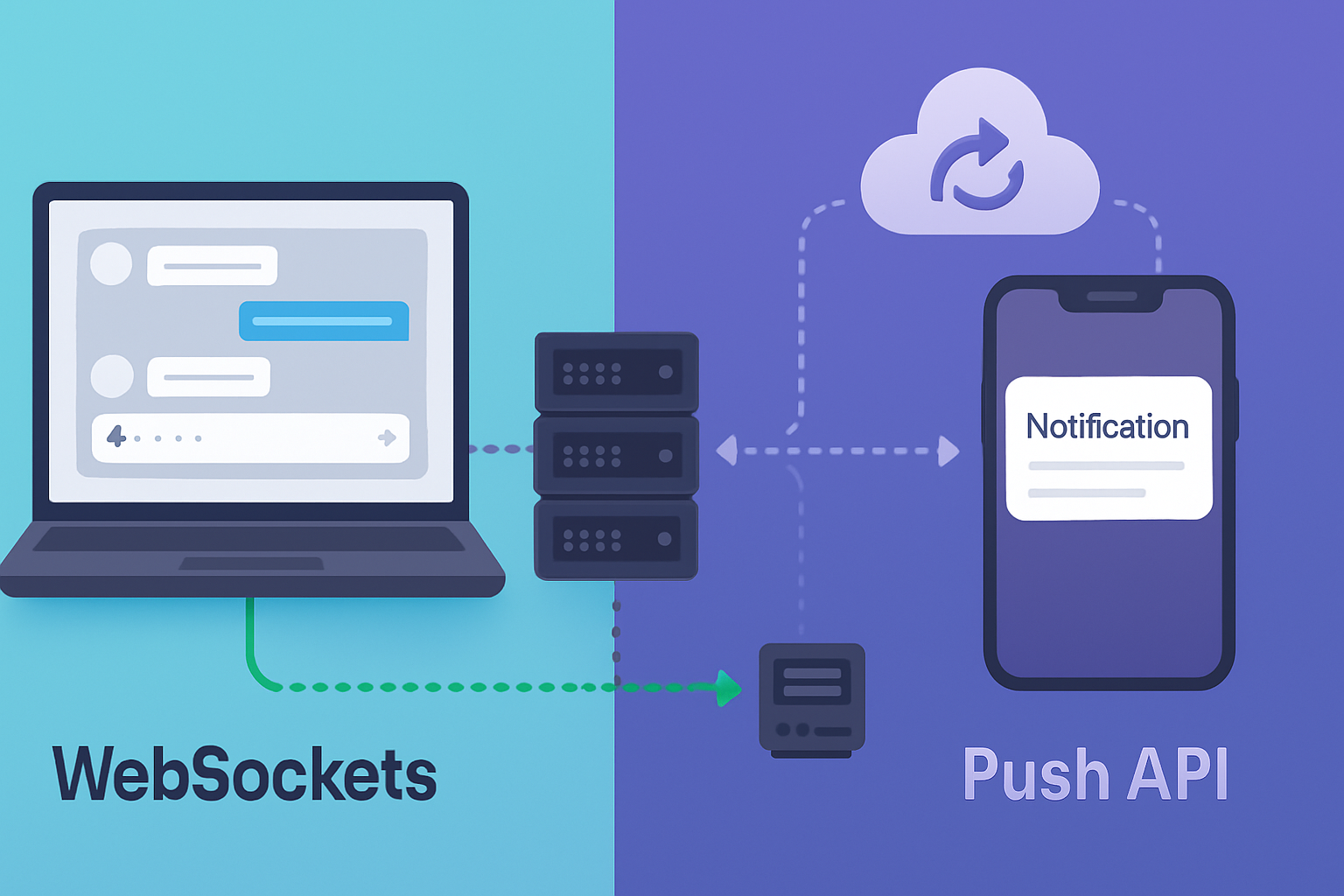
Outcome-first: by the end of this article you’ll be able to choose the right mechanism for real-time needs - implement it, and combine it with complementary patterns so your app is fast, efficient, and reliable.
Quick summary (TL;DR)
- Use WebSockets when you need a persistent, low-latency, bidirectional channel for high-frequency messages (chat, collaborative editing, live trading).
- Use the Push API when you need to deliver background notifications to users who may not have your web app open (notifications, re-engagement, alerts).
- In many modern apps the best pattern is a hybrid: WebSockets for active sessions; Push API for background re-engagement and falling back when the connection is unavailable.
How they work - the short versions
WebSockets
WebSockets create a persistent TCP-based connection (upgraded from HTTP) between client and server, allowing messages to flow in both directions with minimal overhead and latency. The protocol is standardized in RFC 6455.
Strengths in one line: persistent, low-latency, truly bidirectional.
Push API
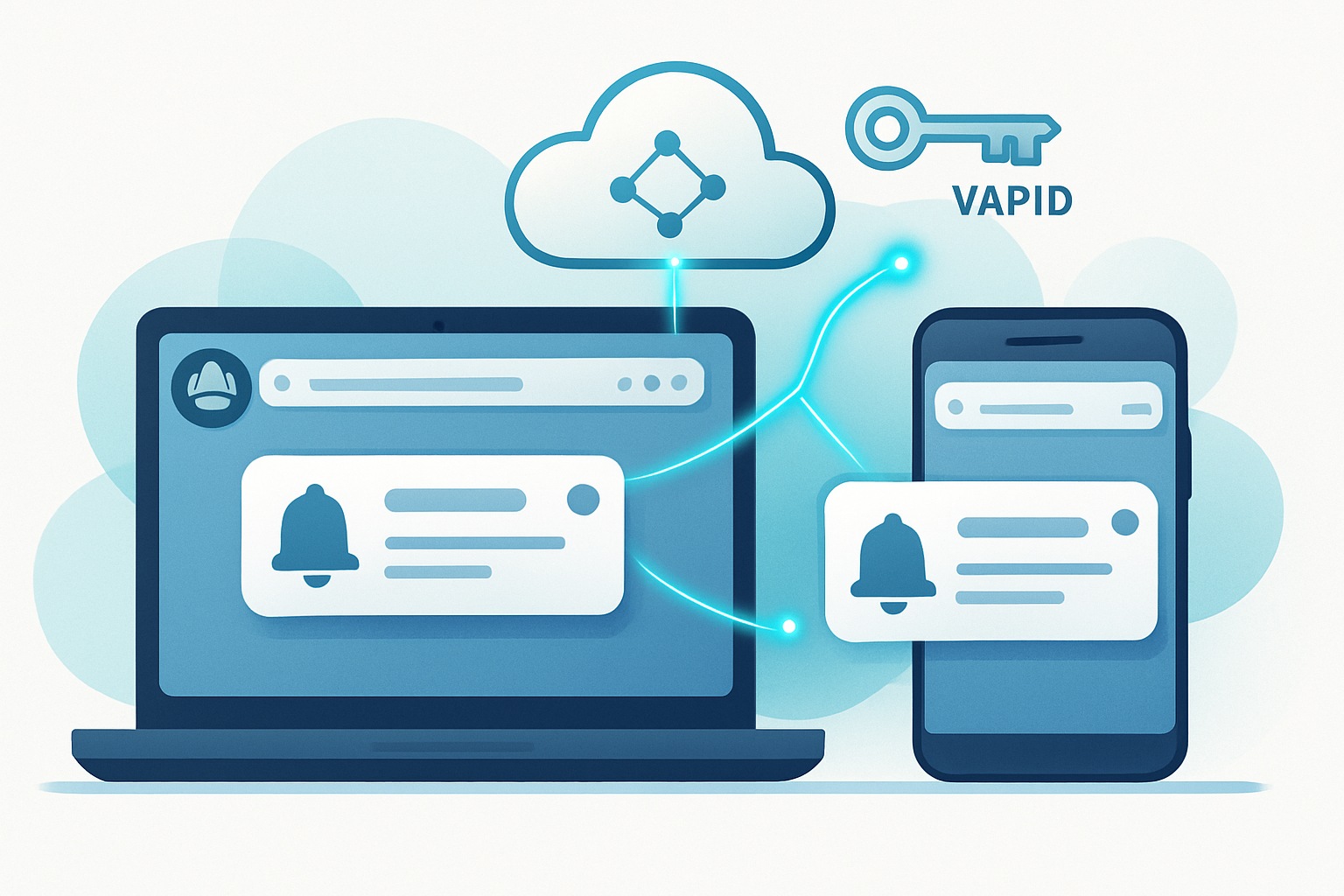
The Push API is a browser API used together with Service Workers and the Notifications API. A web app registers a Service Worker and subscribes to push messages. When your server wants to notify the user, it sends a push message to a push service (browser vendor’s push server) which delivers it to the client, waking the Service Worker even when the page is closed.
Strengths in one line: background delivery, OS-level re-engagement, and offloaded delivery infrastructure.
Refer to MDN for authoritative details: Push API docs and WebSockets docs.
- Push API: https://developer.mozilla.org/en-US/docs/Web/API/Push_API
- WebSockets: https://developer.mozilla.org/en-US/docs/Web/API/WebSockets_API
Strengths and weaknesses (side-by-side)
WebSockets - strengths
- Low latency and minimal per-message overhead once connected.
- True bidirectional communication: client and server can send messages independently.
- Ideal for high-frequency, real-time interactions (typing indicators, presence, collaborative sync).
WebSockets - weaknesses
- Requires an open connection, which consumes resources on server and device (battery, sockets).
- Harder to scale at large numbers without additional infrastructure (sticky sessions, socket-aware load balancers, Redis pub/sub, etc.).
- Not suitable for reliably waking a dormant browser or device to display a notification.
Push API - strengths
- Designed for background delivery; can wake Service Worker and show notifications when app is closed.
- Delivery is offloaded to browser/vendor push services (e.g., FCM, Mozilla Push), reducing your server’s connection burden.
- Efficient for infrequent, important messages and re-engagement.
Push API - weaknesses
- Not a replacement for live bidirectional comms - payloads are small and delivery semantics are “best effort” (not a persistent session).
- Requires user permission to show notifications.
- Platform/browser differences exist (behavior and battery policies, historically limited support on some platforms). See browser compatibility on MDN.
Key technical differences (cheat sheet)
- Connection model: WebSockets = persistent TCP socket. Push API = message delivered via push service to Service Worker (no persistent socket you manage).
- Directionality: WebSockets = bidirectional; Push API = server→client (background); client→server requires an HTTP request after wake.
- Latency: WebSockets typically lower and predictable. Push API depends on push service and power policies - higher, variable latency.
- Resource use: WebSockets consume sockets and may increase battery use. Push API is lightweight for the server; push service handles connection maintenance to devices.
- Scaling: WebSockets require stateful scaling (use pub/sub, socket brokers). Push API scales well because the browser vendor scales delivery.
When to choose which - real use cases
- Chat app (instantly visible messages, typing indicators): WebSockets.
- Collaborative document editing (CRDT/OT syncing): WebSockets (or WebRTC/data channels) for real-time; use Push API to notify when someone mentions you while you’re offline.
- Live sports scores / trading dashboards with continuous updates: WebSockets for high-frequency updates; Push API for breaking alerts if the user is away.
- Marketing or breaking-news notifications: Push API (re-engagement) - not WebSockets.
- Low-frequency alerts or device wake-ups for background processing: Push API.
- IoT telemetry / sensor streaming: depends - if device is rarely connected or messages are sparse, push-like architectures or MQTT may be better; for continuous telemetry, persistent sockets (WebSockets or TCP) are better.
Practical code examples
Below are minimal examples to demonstrate how to use each technology.
WebSockets example (browser + Node.js)
Client (browser):
// Connect and send a message
const ws = new WebSocket('wss://example.com/socket');

ws.addEventListener('open', () => {
  console.log('Connected');
  ws.send(JSON.stringify({ type: 'hello', userId: 123 }));
});

ws.addEventListener('message', evt => {
  const msg = JSON.parse(evt.data);
  console.log('Received', msg);
});
Server (Node.js, ws library):
const WebSocket = require('ws');
const wss = new WebSocket.Server({ port: 8080 });

wss.on('connection', ws => {
  ws.on('message', data => {
    const msg = JSON.parse(data);
    console.log('msg', msg);
    // echo back
    ws.send(JSON.stringify({ type: 'ack', ts: Date.now() }));
  });
});
Notes: production setups need TLS (wss://), health checks, sticky sessions or socket-aware load balancing, and a message broker (Redis) when scaling across nodes.
Push API example (Service Worker + server)
Client: register service worker and subscribe to push
// Register SW and subscribe
navigator.serviceWorker.register('/sw.js');

async function subscribe() {
  const reg = await navigator.serviceWorker.ready;
  const sub = await reg.pushManager.subscribe({
    userVisibleOnly: true,
    applicationServerKey: urlBase64ToUint8Array('<YOUR_VAPID_PUBLIC_KEY>'),
  });
  // Send subscription object to your server to store
  await fetch('/api/save-sub', { method: 'POST', body: JSON.stringify(sub) });
}

subscribe();
Service Worker (sw.js):
self.addEventListener('push', event => {
  const payload = event.data ? event.data.text() : 'New content';
  event.waitUntil(
    self.registration.showNotification('My App', { body: payload })
  );
});
Server: send push (Node.js, web-push library)
const webpush = require('web-push');

webpush.setVapidDetails(
  'mailto:admin@example.com',
  process.env.VAPID_PUBLIC,
  process.env.VAPID_PRIVATE
);

// subscription is the object you stored from the client
await webpush.sendNotification(
  subscription,
  JSON.stringify({ title: 'Hi', body: 'Hello!' })
);
Notes: Push messages have size limits and must comply with userVisibleOnly. Use VAPID keys and store subscriptions securely. See the web-push library: https://github.com/web-push-libs/web-push
Scaling and infrastructure considerations
WebSockets require stateful handling. Common patterns:
- Use a central pub/sub (Redis) or message broker (Kafka) to broadcast between backend nodes.
- Use socket-aware load balancers or sticky sessions, or offload to a specialized socket gateway (e.g., Socket.IO + cluster, or managed services like Pusher, Ably, AWS AppSync / API Gateway WebSocket).
- Ensure proxies (Nginx, HAProxy) are configured to allow WebSocket upgrades and long-lived connections.
Push API scaling is simpler for delivery because the browser vendor’s push service maintains persistent connections to devices. Your server still:
- Stores subscriptions and maps them to users.
- Sends push requests (stateless HTTPS) to the vendor push endpoints.
- Handles results (expired subscriptions) and garbage-collects.
Cost tradeoff: WebSockets increase server resource usage proportional to concurrent users. Push API pushes cost is capped to HTTP requests to push endpoints and the vendor scales device connections.
Security and privacy
- Always use TLS (wss:// for WebSockets, HTTPS for push and subscription flow).
- Authenticate and authorize every message. For WebSockets, establish an authenticated session during handshake and verify tokens on every connection. For Push, maintain server-side authorization when storing subscriptions and when handling actions triggered by push messages.
- Push payloads are encrypted end-to-end using Web Push encryption (VAPID + payload encryption) - the web-push library handles this for you.
Browser & platform nuances
- WebSockets are widely supported in desktop and mobile browsers.
- Push API historically had inconsistent support on iOS Safari; recent platform changes (as of 2023–2024) added broader support for web push in some mobile browsers, but differences remain. Always check current compatibility and test on target devices. MDN’s compatibility tables are a good starting place.
Decision checklist (quick)
- Do you need bidirectional messages during active sessions? → WebSockets.
- Do you need to wake the client and display notifications when the site isn’t open? → Push API.
- Are messages frequent/continuous and latency-sensitive? → WebSockets.
- Is your goal re-engagement or low-frequency alerts? → Push API.
- Do you have resources to handle stateful socket scaling? If not, consider Push API for notifications and a managed WebSocket service for active sessions.
Recommended architecture patterns
Hybrid pattern (recommended for many apps):
- When a user opens the app, create a WebSocket for interactive, real-time features.
- Always register a Service Worker and subscribe to Push for background alerts and re-engagement.
- Use push notifications to notify users to open the app when important events occur while they’re away.
Fallback pattern: if WebSocket fails or is blocked (corporate proxies), fall back to polling or Server-Sent Events for degraded but working updates.
Final thoughts - the bottom line
Pick the tool based on the user experience you must deliver. If users expect continuous, instant interaction while the app is open, WebSockets are the right tool. If you must reach users who aren’t currently in your app, rely on the Push API. For resilient, modern applications, use both: real-time channels while the app is active, push for waking and re-engaging when it’s not. That combination gives you the best of both worlds - immediate interactivity and reliable background notifications, with infrastructure scaled for each job.
References
- Push API (MDN): https://developer.mozilla.org/en-US/docs/Web/API/Push_API
- WebSockets (MDN): https://developer.mozilla.org/en-US/docs/Web/API/WebSockets_API
- web-push library: https://github.com/web-push-libs/web-push
- RFC 6455 (The WebSocket Protocol): https://datatracker.ietf.org/doc/html/rfc6455