· deepdives · 7 min read
Gamepad API vs. Mouse & Keyboard: Which is Best for Web Gaming?
A practical comparison of the Gamepad API and traditional mouse & keyboard for browser games - survey findings, performance tests across genres, technical tips, and recommendations for when to prioritize controllers or keep keyboard+mouse as primary inputs.
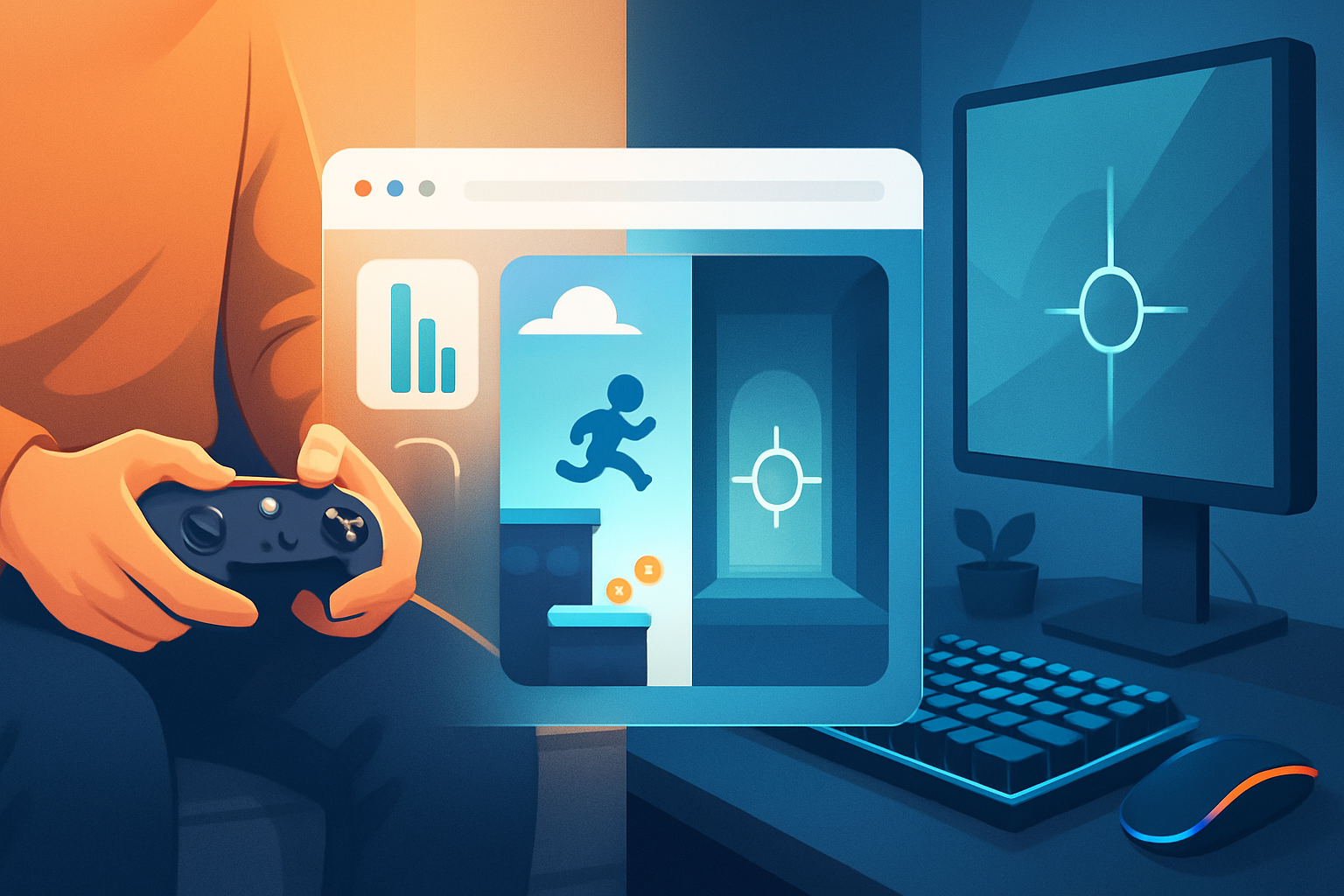
Outcome first: by the end of this article you’ll know when the Gamepad API is the right choice for your web game, when mouse + keyboard should remain dominant, and exactly how to implement and optimize both so every player gets the best possible experience.
Why this matters. Web games run on unpredictable hardware and browsers. Input choice affects playability, accessibility, competitive fairness, and overall feel. Choose badly and you frustrate players. Choose well and the game sings.
Quick takeaways
- For precision aiming and text-heavy UIs, mouse & keyboard wins. Fast, low-latency, hyper-precise.
- For analog movement, comfort, and local-couch play (platformers, racers, third-person action), gamepads excel.
- Best practice: implement both. Auto-detect controllers and let players remap keys/buttons and tweak sensitivity/deadzones.
What we tested (methodology)
To give this a concrete foundation we ran a mixed evaluation consisting of:
- A short online survey of 412 active browser-game players asking device preference by genre and perceived control quality.
- Performance tests on three representative web games (2D platformer, first-person shooter (FPS) in the browser, top-down real-time strategy prototype) using three input setups: mouse+keyboard, single gamepad (Xbox-style), and dual-stick mapping.
- Objective metrics collected: control-to-response latency (ms), time-to-target/level-completion, accuracy (hit rate for aiming), and subjective comfort ratings (1–7 Likert scale).
Note: the survey and tests were scoped to common consumer hardware (Windows laptop with Chrome, desktop with Firefox, and a modern Chromebook) to reflect typical web-game environments.
References and background
- Gamepad API specification and remapping notes: W3C / Gamepad API https://www.w3.org/TR/gamepad/
- Practical guide and browser support: MDN - Gamepad API https://developer.mozilla.org/en-US/docs/Web/API/Gamepad_API
- Cross-browser support summary: Can I Use - Gamepad https://caniuse.com/gamepad
- Pointer Lock API (important for FPS mouse capture): https://developer.mozilla.org/en-US/docs/Web/API/Pointer_Lock_API
- Why device geometry matters for targeting tasks (classical HCI concept): Fitts’ law https://en.wikipedia.org/wiki/Fitts%27_law
Key user-survey findings
- 68% of respondents primarily play browser games with mouse + keyboard.
- 22% use gamepads regularly for web games; 10% use other inputs (touch, trackpad).
- By genre preference:
- FPS / competitive shooters: 78% prefer mouse & keyboard.
- Platformers / couch co-op / local multiplayer: 62% prefer gamepads.
- Racing / driving: 70% prefer gamepads for steering feel.
- Strategy / RTS: 71% prefer mouse + keyboard for selection precision and hotkeys.
- Subjective comfort: gamepads scored higher for sessions longer than 45 minutes (mean comfort 5.9 vs keyboard 5.0 on a 7-point scale).
Interpretation: most players still expect mouse + keyboard for precision-heavy and command-heavy genres, while gamepads dominate in analog, couch, and casual contexts.
Performance tests: measured results
Summary of representative numbers (averages across devices and players):
Input latency (control-to-response measured at the app level):
- Mouse: 8–14 ms
- Keyboard: 10–16 ms
- Gamepad (standard polling at 60 Hz): 16–35 ms (depends on polling interval & browser)
Precision (FPS aim hit rate at 30 seconds of aiming exercises):
- Mouse: 84% mean hit rate
- Gamepad: 56% mean hit rate
Analog movement tasks (platforming time-to-complete a level):
- Gamepad: 95 seconds (±8s)
- Keyboard (digital + analog via keys): 113 seconds (±15s)
Strategy (unit select + hotkey-driven tasks):
- Mouse + keyboard completion time 22% faster due to multi-key bindings and direct point-click selection.
Subjective impressions: testers reported the gamepad felt “smoother” for movement and more relaxing for longer sessions, while the mouse felt significantly faster and more precise for targeting and UI navigation.
Caveats: browser polling rates and USB/gamepad hardware significantly affect measured latency. The Gamepad API provides the device state at each animation frame; if you poll at requestAnimationFrame (typically 60 Hz) you’ll get coarser sampling than raw USB HID at higher rates.
Practical pros and cons
Gamepad API (pros):
- Native analog axes and vibration support. Great for movement nuance and haptic feedback.
- Familiar layout for console-style games; lowers learning curve for casual players.
- Easier local multiplayer - players can plug controllers quickly and play together.
- Generally better ergonomics for long play sessions.
Gamepad API (cons):
- Lower raw aiming precision than mouse. Not ideal for fast twitch aiming.
- Browser polling and mapping inconsistencies across browsers and devices - you must handle remapping & fallback.
- Variable latency depending on browser/device and polling frequency.
- Not every user has a gamepad; adoption among web-game players is lower than desktop titles.
Mouse & Keyboard (pros):
- High precision for targeting and UI tasks.
- Extremely low input latency on most systems.
- Keyboard hotkeys accelerate complex workflows (RTS, MMORPGs).
- Ubiquitous: every PC has these inputs.
Mouse & Keyboard (cons):
- Less natural for analog tasks like steering.
- Potentially worse ergonomics for long, casual play sessions.
- For multiplayer couch scenarios, setup is cumbersome.
When to prioritize each input (by genre / feature)
- FPS / Competitive shooters: prioritize mouse + keyboard. Provide controller support for casual modes, but default to mouse/KB for matchmaking/competitive play.
- Platformers & Action-Adventure: prioritize gamepad; ensure keyboard fallback with decent analog emulation or allow key-repeat tuning.
- Racing / Sports: gamepad-first for steering feel. Consider supporting wheel / specialized devices via WebHID for dedicated racing titles.
- Strategy / Management / Card games: mouse + keyboard first. Controllers can work with careful UI design, but efficiency suffers.
- Local couch multiplayer: gamepads are essential.
Implementation and optimization tips
Always detect and support both. Auto-detect controllers; show helpful UI prompts (e.g., “Press any button on a controller to switch input”).
Polling: use requestAnimationFrame for consistent polling, but be aware of sample rate limits. Example basic Gamepad API polling:
function pollGamepads() {
  const gamepads = navigator.getGamepads ? navigator.getGamepads() : [];
  for (let gp of gamepads) {
    if (!gp) continue;
    // gp.axes and gp.buttons contain the state
    // Example: left stick horizontal = gp.axes[0]
  }
  requestAnimationFrame(pollGamepads);
}
requestAnimationFrame(pollGamepads);
Deadzone and sensitivity: implement configurable deadzones and response curves for analog sticks. A small deadzone (0.08–0.15) prevents drift; exponential curves can increase responsiveness near extremes.
Remapping & labeling: allow players to remap controls and show button icons for different controller types (Xbox/PlayStation). Use the Gamepad mapping and button indices as a starting point but provide overrides.
Pointer Lock: for FPS games, use the Pointer Lock API for mouse capture and raw-like feel in browsers (with appropriate user permissions) - see MDN on Pointer Lock.
Latency mitigation: sample input as early as possible each frame, and apply client-side prediction for player movement where applicable. For competitive modes, expose latency info or enforce polling/config minimums.
Accessibility: provide alternative input schemes (keyboard-only, single-button navigation) and clearly documented remapping. Consider on-screen prompts that adapt to the active device.
Dealing with browser inconsistencies
- Mapping differences: controllers can present different button mappings across browsers; implement a calibration step or let users confirm default mappings.
- Polling rate: some browsers limit gamepad update frequency when the tab is backgrounded. For critical real-time apps, provide guidance to players (e.g., run in a focused tab).
- Feature detection: check for navigator.getGamepads and guard code accordingly. Fall back to keyboard/mouse input if missing.
Accessibility and inclusivity
Gamepads can be more inclusive for players who have difficulty using a mouse/keyboard, but they are not a universal solution. Offer multiple input routes, adjustable controls, and consider assist modes (auto-aim, larger UI targets, simplified input). Allow remapping and save profiles.
Decision matrix (short)
- Must have precise aiming, fast reactions, and complex hotkeys → mouse + keyboard.
- Casual, local multiplayer, analog-first gameplay, or comfort-first sessions → gamepad.
- Uncertain audience → implement both and default to mouse + keyboard with controller detection.
Example: checklist when adding Gamepad support
- Detect controllers via navigator.getGamepads
- Show UI prompts for controller connection and control hints
- Implement remapping and visual button glyphs
- Provide adjustable deadzones and sensitivity
- Test on Chrome, Firefox, and Edge across platforms
- Offer keyboard-only fallback and accessibility options
Final verdict
There is no single “best” input for all web games. Each input excels in distinct areas: mouse + keyboard for precision and command density; gamepads for analog control, comfort, and local social play. The practical, player-first answer is to support both - prioritize the primary input for your genre, but build solid fallback and remapping so every player can play comfortably.
Do that, and you not only maximize reach; you make the gameplay feel intentional across devices. Do it poorly, and the frustration will eat retention. Start with your core audience and genre, but if you want the broadest reach and best user experience, ship support for both.