· deepdives · 7 min read
Is WebHID API a Game Changer for Accessibility in Web Apps?
A practical, critical look at how the WebHID API can expand accessibility in web apps: what it enables, concrete use cases, implementation patterns, and crucial caveats developers must consider.
Outcome first: by the end of this article you’ll be able to evaluate whether WebHID can meaningfully improve accessibility in your web project, sketch a small prototype to connect a simple assistive device to a web app, and apply practical design and testing patterns so those integrations are robust and inclusive.
Why this matters - quickly
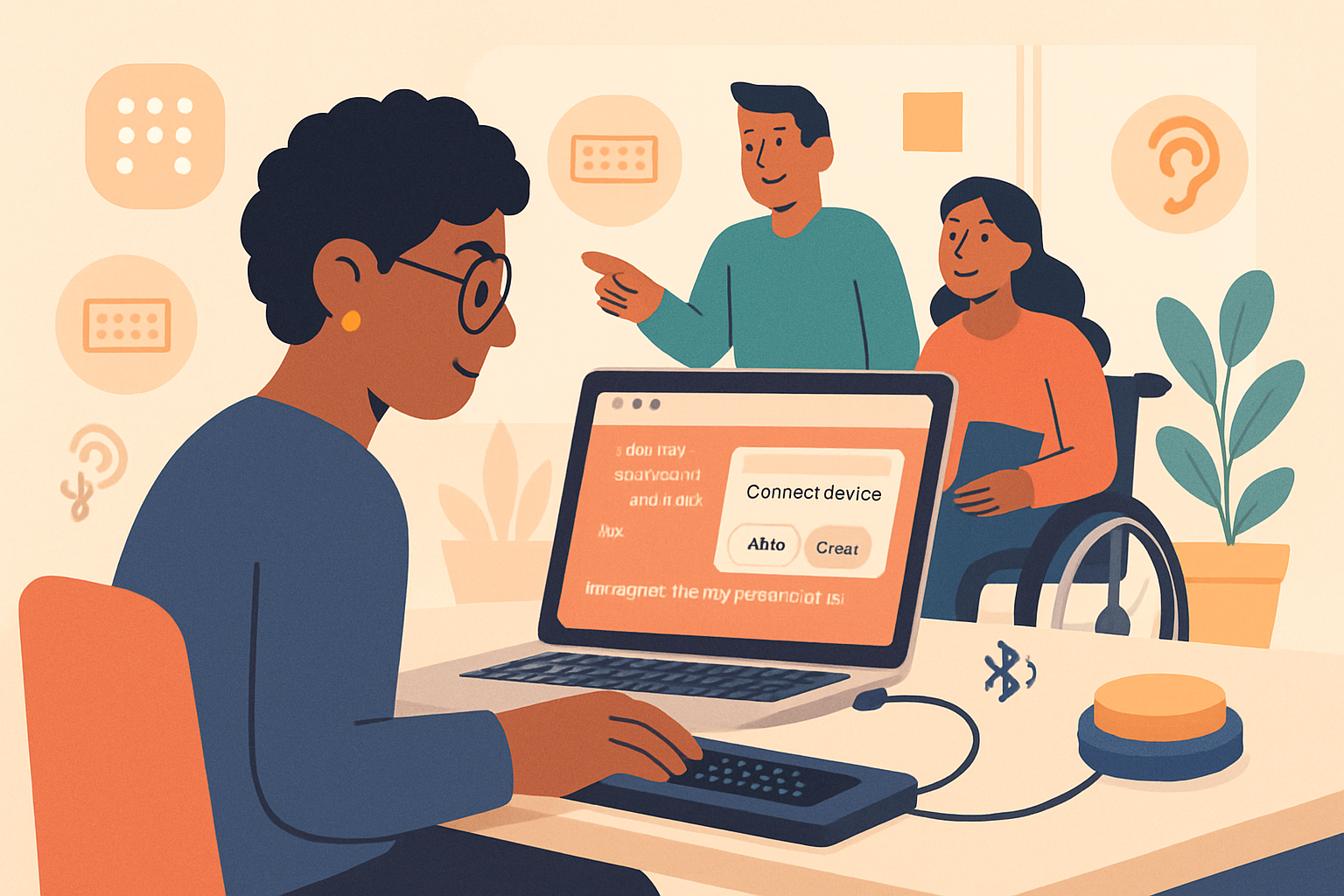
People who use assistive devices often depend on specialized hardware that the web historically couldn’t talk to directly. That gap forces users into native software, platform-specific drivers, or brittle keyboard emulation hacks. WebHID promises a new option: let browsers speak HID (Human Interface Device) directly to devices. In plain terms: the browser can now talk to many custom switches, braille displays, adaptive controllers, and other HID-based assistive products - without leaving the web.
Short sentence. Big potential.
What WebHID is (and what it’s not)
- WebHID is a browser API that exposes HID device interfaces to web pages, with user permission. See the spec and MDN for details: https://wicg.github.io/webhid/ and https://developer.mozilla.org/en-US/docs/Web/API/WebHID_API.
- It is not a universal substitute for assistive technology (AT). Many AT products integrate at the OS level, and WebHID cannot replace system-level accessibility hooks.
- It is currently supported primarily in Chromium-based browsers. Check browser compatibility before shipping: https://developer.mozilla.org/en-US/docs/Web/API/WebHID_API#browser_compatibility.
Accessibility use cases that become possible or easier
Here are concrete scenarios where WebHID can make a difference.
Custom switch interfaces
- Many switch-access users rely on single-switch or multi-switch devices that present themselves as HID. A web app can read switch presses directly and map them to meaningful actions (navigation, selection, scanning controls) without requiring OS-level remapping.
Adaptive game controllers and input remapping
- People with mobility impairments use adaptive controllers. WebHID lets game UIs and interactive learning apps receive nuanced controller input and provide custom mappings and feedback.
Braille displays (where supported)
- Some braille displays expose HID endpoints. Web apps could potentially read braille input or write lightweight braille output for specific tasks (e.g., exploring structured data). Note: full screen-reader-quality braille integration typically requires deep OS-level hooks.
Custom tactile devices and haptics
- Educational and therapeutic web apps can interface with tactile-feedback devices to deliver personalized experiences.
Assistive sensors and environmental controls
- Devices for sip-and-puff, head pointers, or environmental switches that report via HID can be integrated into web control panels or apps that manage smart-home accessibility features.
How it actually works - a short primer
Basic API workflow:
- Discover devices: navigator.hid.requestDevice({ filters })
- Enumerate already-approved devices: navigator.hid.getDevices()
- Open connection: device.open()
- Listen for input: device.addEventListener(‘inputreport’, …)
- Send output reports: device.sendReport(reportId, data)
Example - request a device and listen for reports:
// Ask user to pick a device matching vendor/product IDs (example IDs)
const devices = await navigator.hid.requestDevice({
  filters: [{ vendorId: 0x1234, productId: 0xabcd }],
});
if (!devices.length) return;
const device = devices[0];
await device.open();

device.addEventListener('inputreport', event => {
  const { data, reportId } = event;
  // Parse DataView according to your device's report descriptor
  console.log('Report', reportId, [...new Uint8Array(data.buffer)]);
  // Map to accessible actions
});

// Send output (example)
await device.sendReport(1, new Uint8Array([0x01, 0x02]));
Refer to MDN for exact API signatures: https://developer.mozilla.org/en-US/docs/Web/API/HIDDevice
Implementation strategies that actually help users
WebHID gives you device-level input. But accessibility isn’t just about input; it’s about how the app responds and communicates. Follow these practical patterns.
Progressive enhancement and explicit permission flows
- Treat WebHID as an enhancement: provide full functionality via standard keyboard and ARIA interfaces first.
- Offer an explicit “Connect device” UX with clear, accessible instructions and a fallback path if the user declines permission.
Abstract device mappings behind an accessibility middleware
- Create a small adapter layer that maps raw HID reports to high-level actions (e.g., NEXT_ITEM, ACTIVATE). Keep the rest of the app working with those actions rather than device-specific events.
Focus & semantic controls over synthetic key events
- Do not rely on firing synthetic DOM keyboard events to simulate input; browsers and assistive tech treat those differently (and many privileged actions ignore them). Instead, operate on ARIA states and focus management directly - update focused elements, invoke action handlers, and expose proper ARIA attributes.
Respect user preferences and AT integration
- Allow users to remap buttons and switch behaviors inside your app. Persist mappings (with consent) so users aren’t forced to reconfigure each session.
Visual and non-visual feedback
- Provide both onscreen and programmatic feedback. Update ARIA live regions, focus, and descriptive labels so screen readers announce state changes triggered by the HID device.
Coexistence with platform assistive tech
- Some devices might already be managed by OS-level drivers. Warn users if claiming a device will conflict with system-level behavior and offer guidance.
Example: mapping a single-switch HID to an accessible scanning UI
High-level flow:
- User clicks “Connect switch”.
- WebHID requestDevice() shows the browser permission prompt.
- When pressed, the adapter translates switch presses to
SCAN_NEXTorSCAN_SELECTactions. - The app’s scanning engine moves focus and announces options via an ARIA live region.
Pseudo-code for mapping to ARIA live region:
function handleSwitchPress(type) {
  if (type === 'press') {
    scanningEngine.next(); // moves virtual focus
    announce(scanningEngine.currentLabel);
  } else if (type === 'longpress') {
    scanningEngine.select();
    announce('Selected: ' + scanningEngine.currentLabel);
  }
}

function announce(message) {
  const live = document.getElementById('aria-live');
  live.textContent = '';
  // slight delay to ensure screen readers pick up changes
  setTimeout(() => (live.textContent = message), 50);
}
HTML snippet:
<div
  id="aria-live"
  aria-live="assertive"
  aria-atomic="true"
  style="position: absolute; left: -9999px"
></div>
This approach keeps the interaction semantic and accessible rather than trying to fake keystrokes.
Security, privacy, and UX concerns
- Permission model: Browsers require explicit user permission for each device. Design your UX to explain why the permission is needed and what data is accessed.
- Device persistence: Users must re-grant access when contexts change. The app should handle device disconnects gracefully.
- Privacy: HID can carry sensitive inputs. Only request what you need and explain retention policies.
- Conflict with AT: If a device is also used by platform-level AT, your app may not be able to access it concurrently. Inform users and provide alternative ways to interact.
More about security and privacy in the spec: https://wicg.github.io/webhid/
Testing guidance
- Test with real devices: Emulators can’t reveal latency, debouncing, or physical ergonomics.
- Test with screen readers and other AT: Ensure your ARIA updates are announced and focus behaves predictably. Use VoiceOver (macOS), NVDA and JAWS (Windows) via supported browsers.
- User testing with actual assistive-device users is essential. Accessibility is a social and technical problem; you need feedback from people who rely on these devices.
- Automate where useful: unit tests for parsing HID reports, accessibility linters for semantic markup, but don’t skip manual tests.
See WAI ARIA guidance for authoring accessible dynamic content: https://www.w3.org/WAI/standards-guidelines/aria/
Practical limitations and pitfalls
- Browser support is limited. Many users on Safari or Firefox won’t get the WebHID experience yet.
- Not all assistive devices expose a usable HID interface. Some devices use custom drivers or rely on platform-level integration.
- Expect device diversity: HID report descriptors differ wildly. You will need device-specific parsing or an installable device profile ecosystem.
- Emulated keyboard events are unreliable for privileged actions. Always operate on semantic state.
Roadmap for teams: how to adopt WebHID responsibly
- Audit devices your users need. Which are HID-capable?
- Build an adapter layer and a mapping UI for remapping and calibration.
- Ship WebHID features behind a settings flag while keeping full keyboard/ARIA support as default.
- Partner with AT vendors. Ask whether they can expose devices in ways that are friendlier to web integrations.
- Document privacy, explain the permission flow, and provide fallback workflows.
- Run accessibility user studies and iterate.
Final analysis - is WebHID a game changer?
Short answer: it can be - but only when used thoughtfully.
WebHID lowers a significant technical barrier: it makes HID-capable assistive devices reachable from the browser without native wrappers. That unlocks new classes of web experiences - adaptive games, custom scanning UIs, device-based educational tools, and more - that were previously impractical to implement purely on the web.
However, WebHID is not a universal fix. Browser adoption, the heterogeneity of HID devices, and the realities of platform-level assistive technology mean WebHID is one tool in a broader accessibility toolbox. If you assume WebHID will replace standard accessible design practices, you will fail users. But if you adopt it as a targeted enhancement - combined with ARIA-first semantics, robust fallback paths, and co-design with people who use assistive tech - it becomes a powerful lever for inclusion.
Use WebHID to extend access. Not to justify removing keyboard support. Not to hide inaccessible controls. And always test with real users.
Because when the web learns to speak directly to assistive devices while still speaking the universal language of semantics and focus, we don’t just add features. We expand who can participate. That’s the real win.
References
- WebHID Spec (WICG): https://wicg.github.io/webhid/
- MDN WebHID API overview: https://developer.mozilla.org/en-US/docs/Web/API/WebHID_API
- WAI-ARIA: https://www.w3.org/WAI/standards-guidelines/aria/
- WebAIM accessibility resources: https://webaim.org/