· deepdives · 7 min read
File Handling API vs. Traditional File Management: What's the Real Difference?
A deep comparison between the new File Handling API and traditional web file techniques (input[type=file], drag-and-drop, server uploads). Learn the practical trade-offs, performance implications, real-world scenarios, and how to choose the right approach for your web app.
![A deep comparison between the new File Handling API and traditional web file techniques (input[type=file], drag-and-drop, server uploads). Learn the practical trade-offs, performance implications, real-world scenarios, and how to choose the right approach for your web app.](/_astro/file-handling-api-vs-traditional-file-management.dFU15HsU.webp)
Outcome first: by the end of this article you’ll know when to use the File Handling API, when to stay with classic file inputs and drag-and-drop, and how each approach affects UX, security, and performance.
Web apps are getting closer to native capabilities. They can open files from the OS and read/write them like desktop apps. But there’s a catch: capability, compatibility, and responsibility are not the same thing.
This article compares the File Handling API to traditional file management in JavaScript, shows practical examples, discusses performance and security implications, and gives guidance for real-world choices.
Quick primer: what we’re comparing
- Traditional file management in web apps: input[type=file], drag-and-drop, File API (File, Blob, FileReader), and classic upload flows that send file bytes to a server. These are well-supported everywhere and work in every browser.
- File System Access API: lets the page open and modify files via file handles (read/write, stream support). Often used for richer local file operations.
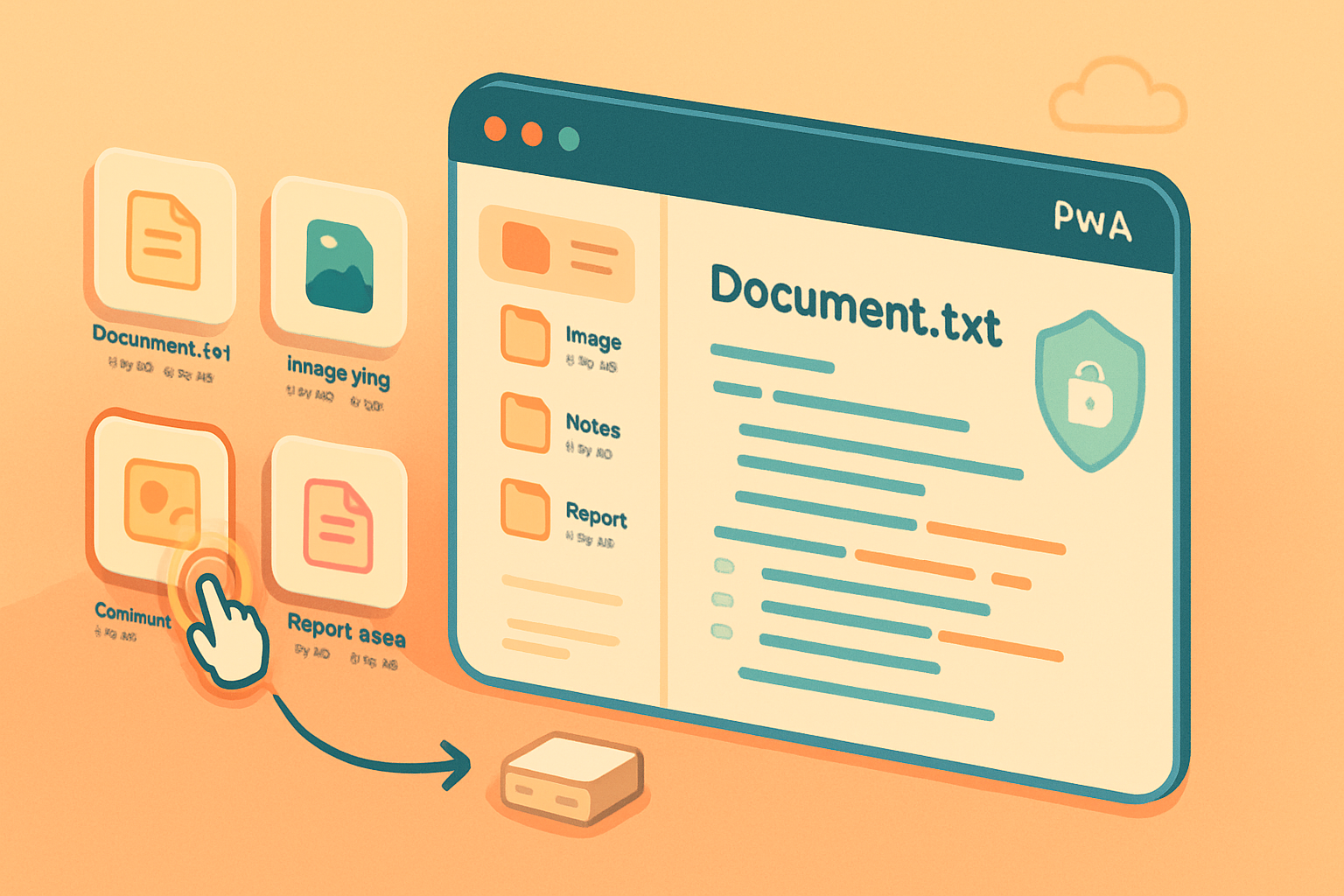
- File Handling API: specifically lets a web app register as a handler for file types at the OS level (“Open with My PWA”), and receive files when the user opens them from the desktop/file manager. It commonly works together with the File System Access API for reading/writing.
Note: Browsers and specs evolve. For authoritative docs see the spec and MDN: WICG File Handling and MDN File System Access API.
The developer payoff - what File Handling API adds
- Native-like open/associate behavior: a Progressive Web App (PWA) can appear in the OS “Open with…” menu for registered file types. That’s a major UX win for desktop users.
- Direct, permissioned file handles: when launched as a file handler the app often receives file handles rather than raw uploaded blobs - which allows read/write operations and can enable saving back to the same file.
- Better offline and local-first workflows: you can build editors and apps that work with local files without round-tripping to a server.
Short sentence. Big advantage.
Traditional approach strengths
- Universally supported. Works in all modern browsers and many legacy ones.
- Simple developer model: user selects files via input or drag-and-drop and you get File objects you can read or upload.
- Familiar UX for users and predictable permission/behavior models.
But it’s limited. It doesn’t let you persist direct writable handles to user files or become an OS file handler.
Practical examples and code snippets
- Registering a file handler in web app manifest (for PWAs)
{
  "file_handlers": [
    {
      "action": "/?source=file-handler",
      "accept": {
        "text/plain": [".txt"],
        "image/*": [".png", ".jpg"]
      }
    }
  ]
}- Receiving files when the PWA is launched from the OS (using launchQueue)
if ('launchQueue' in window) {
  window.launchQueue.setConsumer(launchParams => {
    if (!launchParams.files || !launchParams.files.length) return;
    for (const handle of launchParams.files) {
      // handle: FileSystemFileHandle
      handle.getFile().then(file => {
        // read and use the File object
      });
    }
  });
}- Traditional input fallback
<input id="file" type="file" multiple />document.getElementById('file').addEventListener('change', e => {
const files = e.target.files; // FileList of File objects
// Read or upload as usual
});- Streaming a large file (File System Access + streams)
// assume 'handle' is a FileSystemFileHandle
const file = await handle.getFile();
const reader = file.stream().getReader();
while (true) {
  const { done, value } = await reader.read();
  if (done) break;
  // process 'value' chunk without loading whole file into memory
}
And writing:
const writable = await handle.createWritable();
await writable.write('...chunk or blob...');
await writable.close();
Performance considerations - not just benchmarks but real trade-offs
- Memory usage: Traditional approaches often read an entire file into memory (FileReader.readAsArrayBuffer or .text()). For small files this is fine. For large files (hundreds of MBs or multi-GB media), this can blow memory and stall the main thread.
- Streaming vs whole-file reads: The File System Access API and modern Blob/Stream APIs allow chunked reads and writes. This reduces peak memory and makes it feasible to process very large files in the browser, especially when combined with Web Workers.
- Startup overhead: registering and handling files via the File Handling API has no meaningful per-file performance cost, but launching from the OS and getting handles is subject to the browser’s startup flow (PWA cold start time). For a heavily used native-like desktop app, that startup can matter.
- Network cost: traditional upload-based workflows are constrained by network latency and bandwidth. If you can process files locally (File System Access + local processing) you avoid unnecessary uploads. That improves perceived performance and privacy.
- Parallelism: processing chunks in Web Workers can keep UI responsive. Both traditional and File System Access flows can benefit from this, but File System Access (with streams) makes streaming worker-based processing easier.
Benchmark takeaway: if you need to process very large files efficiently, prefer streaming APIs and worker-based processing. If files are small and you need broad compatibility, classic File inputs are fine.
Security and privacy: permissions and attack surface
- Explicit user consent: retrieving file handles requires a user gesture or explicit permission. You can’t silently open arbitrary local files.
- Scoped access: handles are tied to origin. Web apps cannot access arbitrary files without consent.
- Persistence and revocation: some browsers allow you to store handles (e.g., in IndexedDB) so you can reopen files later without re-asking; users or browsers can revoke these permissions.
- Attack surface: richer local access increases responsibility. Bugs in file parsing or writing logic can have higher-impact consequences (e.g., accidental overwrite). Always validate and sandbox operations.
Bottom line: the File Handling API brings more power; with power comes responsibility.
Compatibility and progressive enhancement
- Support today is mixed. Chromium-based browsers (Chrome, Edge) have the most mature support for File System Access and File Handling capabilities on desktop. Many other browsers (Firefox, Safari) lag or have different priorities.
- Progressive enhancement strategy:
- Default to input[type=file] and drag-and-drop for universal coverage.
- Detect File System Access and File Handling availability and enable richer flow when possible.
- Provide server-based fallbacks (upload endpoint) when local save isn’t available.
Useful compatibility resources: MDN File System Access API and the WICG File Handling repo.
Real-world scenarios - when to use what
Use the File Handling API (with File System Access) when:
- You’re building a desktop-like PWA (text editor, image editor, DAW) where native “Open with” integration improves discoverability and workflow.
- Your app needs to read/write large files locally without server round-trips.
- Offline-first behavior or local-first sync is essential.
Stick with traditional file inputs and drag-and-drop when:
- Your audience uses a variety of browsers including mobile and Safari.
- Files are small and the UX of selecting/uploading is sufficient.
- Your app’s primary workflow is server-based (e.g., uploading assets to a cloud service).
Hybrid approach (best pragmatic choice):
- Default to traditional methods for compatibility.
- Detect and enable File Handling + File System Access when available to unlock advanced UX for eligible users.
Developer checklist - what to plan for
- Feature detection: check for window.launchQueue, window.showOpenFilePicker, and FileSystemWritableFileStream support.
- Graceful fallback: every file-handling code path should have a fallback to input or server upload.
- Async, streaming-friendly design: avoid blocking the main thread; use streams and workers.
- Clear UI for permission and error states: show users why a permission is requested and what it means.
- Reversible actions: when writing to user files, prefer safe-save (write to temporary files then replace) and backups.
The debate: will the web fully replace native file management?
Arguments for yes: APIs are maturing fast; PWAs can integrate with OS features; streaming and worker support make heavy-duty local processing feasible. Arguments against: inconsistent browser support, differing security models across vendors, and enterprise desktop apps with deep OS integration still outpace what the web can do.
The pragmatic answer: the web is becoming a first-class platform for many file-centric apps, but not universally. For consumers and many productivity apps, web APIs will be good enough and often preferable. For niche enterprise tools with deep OS hooks, native will remain relevant.
Final recommendations
- Start with progressive enhancement: ship input[type=file] and drag-and-drop first.
- Add File System Access and File Handling support for enhanced desktop UX where available.
- Use streaming and Web Workers to handle large files without freezing the UI.
- Treat file handles with caution: implement safe writes, explicit confirmations, and clear revoke paths.
The real difference isn’t a single technical feature. It’s a shift in responsibility and possibility: the File Handling API hands the web more of the native file management story - but that extra control requires new design, stronger permission UX, and careful fallbacks. The future of file management on the web is hybrid: progressive, powerful where supported, and reliably compatible everywhere else.