· deepdives · 7 min read
The Battle for Privacy: How WebRTC Affects User Data and What You Need to Know
A deep dive into how WebRTC works, the real privacy risks it introduces (IP leaks, device access, metadata exposure), and a practical developer checklist for protecting users when building real-time apps.
Outcome first: after reading this you’ll understand exactly how WebRTC can expose user data, where the real privacy risks live, and which practical steps you can apply right now to greatly reduce exposure.
WebRTC can power low-latency video, voice and data in browsers and native apps. It can also silently reveal sensitive details about users if you don’t design and configure it with privacy in mind. This article cuts through the jargon, explains the attack surface clearly, and gives a developer-focused playbook you can implement today.
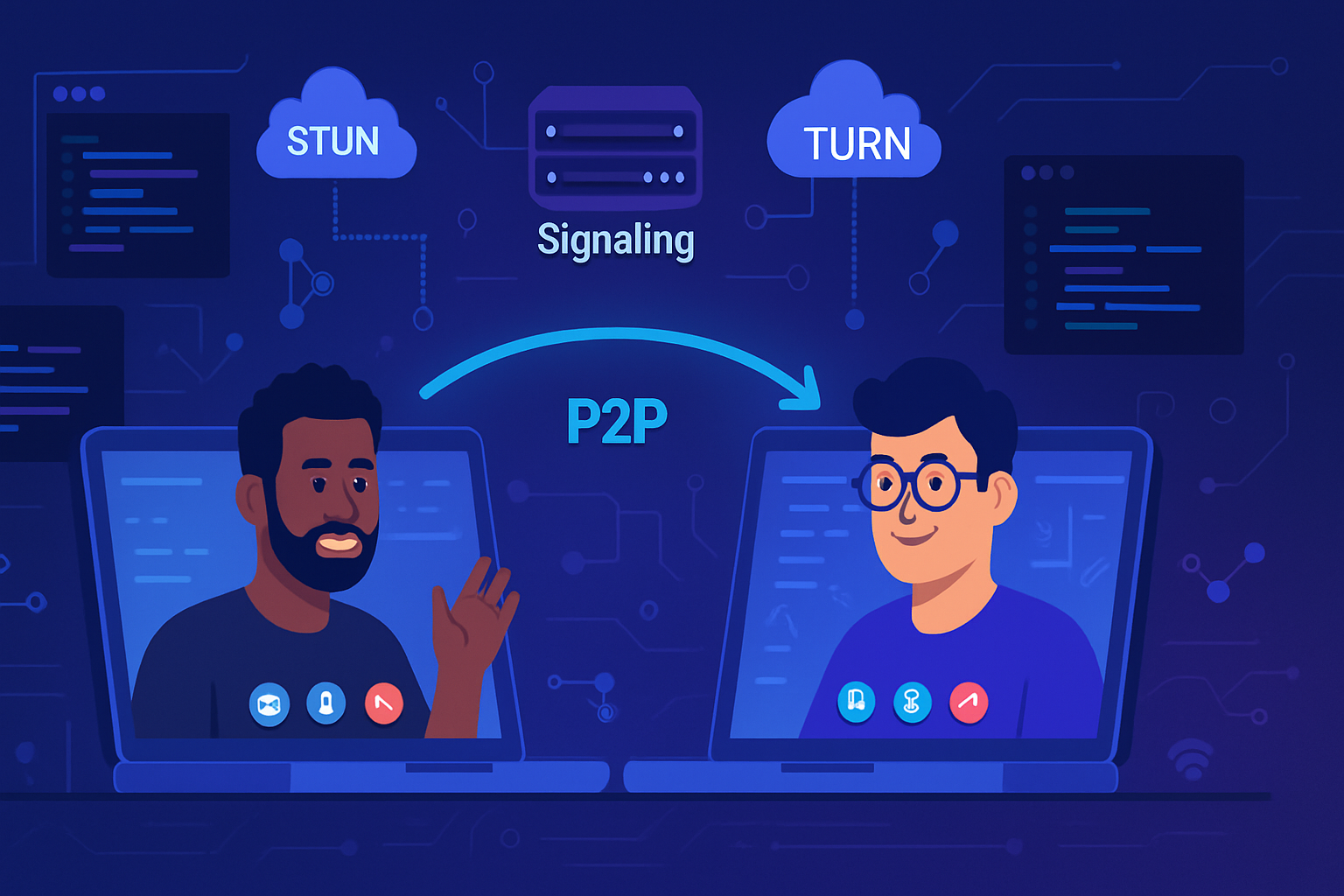
Quick map: how WebRTC works (the parts that matter for privacy)
- Signaling: Your app exchanges session descriptions (SDP) and ICE candidates over a signaling channel (WebSocket, HTTPS, etc.). Signaling itself is outside WebRTC-you control it-but it carries metadata that can reveal information.
- ICE, STUN, TURN: Browsers gather ICE candidates so peers can connect. STUN servers reveal public-facing IPs. TURN servers relay media when direct connection fails.
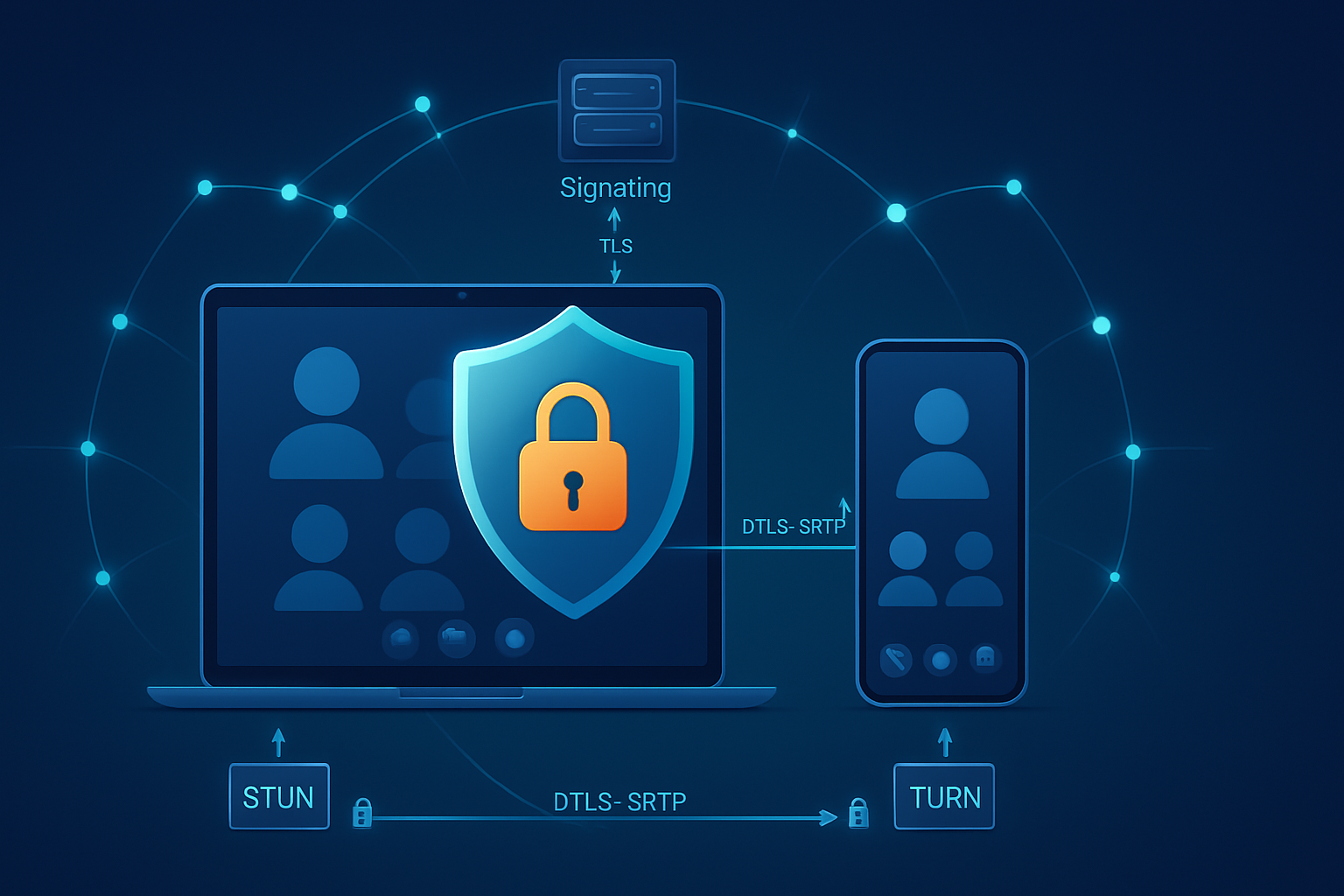
- Media transport: WebRTC uses DTLS for key exchange and SRTP for media encryption (DTLS-SRTP). DataChannels run SCTP over DTLS.
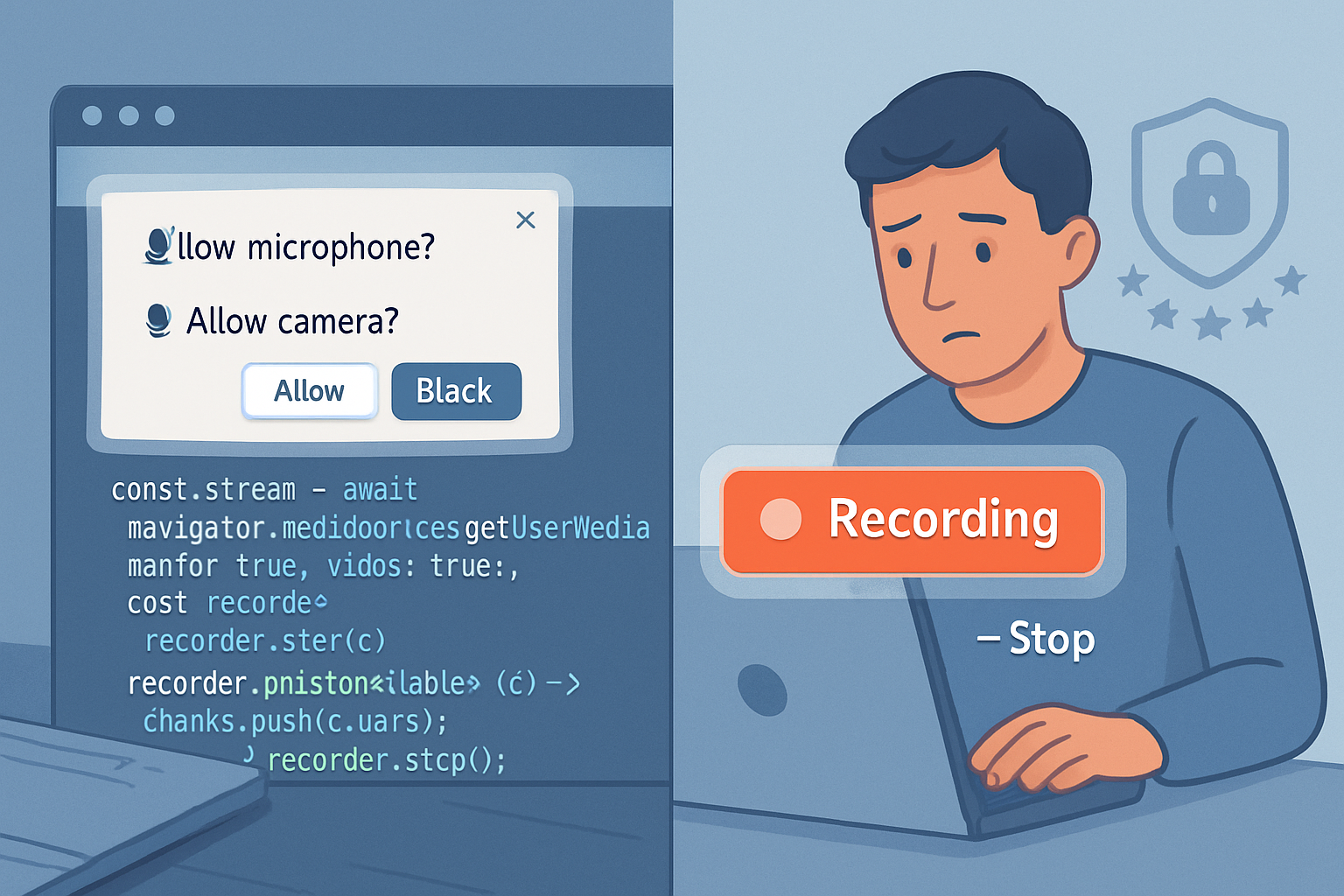
- getUserMedia: The browser grants access to camera/microphone/screen after user permission and exposes MediaStreamTracks to your PeerConnection.
For details on these components, see the WebRTC overview and security docs: https://developer.mozilla.org/en-US/docs/Web/API/WebRTC_API and https://webrtc.org/security/.
Where privacy risks come from - the real attack surface
- IP address leaks via ICE candidates
- When a browser gathers ICE candidates it may reveal local (LAN) and public IP addresses to the remote peer through SDP/ICE. Those addresses can be logged by the peer or any intermediary. That’s how a page can discover a user’s local IP even behind a VPN if candidates are exposed.
- Browsers now use mDNS hostnames to hide local IPs in many cases, but this is not universal and can be bypassed if configurations force non-obfuscated candidates. See Chromium’s policy on IP handling: https://www.chromium.org/Home/chromium-security/webrtc-ip-handling-policy.
- Metadata leakage through signaling and SDPs
- SDP and ICE candidates contain more than addresses. They expose codecs, SSRCs, track labels, and potentially device names or other strings that help fingerprint users or reveal device types.
- Signaling channels (if not authenticated/encrypted) can be intercepted or logged by servers.
- Device and screen access
- getUserMedia exposes camera and microphone devices. Screen sharing can inadvertently reveal sensitive documents, password managers, notifications, or other on-screen information.
- Browser permissions protect access, but user consent is not a perfect guard: users may grant permission accidentally or be social-engineered.
- Centralized servers and recording
- Many deployments use an SFU (Selective Forwarding Unit) or MCU that terminates DTLS/SRTP on the server. That means media is unencrypted at the server and becomes accessible to operators or attackers who compromise the server.
- TURN servers relay media and see user IP addresses and can, if misconfigured or malicious, log/inspect traffic.
- Fingerprinting
- The combination of ICE candidate types, device labels, supported codecs, and subtle behavioral quirks can create a persistent fingerprint.
- Misconfigurations and developer errors
- Storing raw SDP, ICE candidates, or application-layer metadata in logs or analytics can leak PII.
- Not rotating TURN credentials or using long-lived credentials increases exposure.
Attack scenarios to be aware of
- A malicious web page prompts for camera access, starts an unobserved recording, and uploads video. (Permission UX failure.)
- A remote peer logs ICE candidates and reconstructs users’ private network topology or discovers real IPs behind a VPN. (IP leak via ICE.)
- An SFU operator records or inspects unprotected streams sent through the SFU. (Centralized break of E2E confidentiality.)
- A compromised STUN/TURN server logs public IPs and timestamps, linking identities to network locations. (Server trust failure.)
What the browser protects and what it doesn’t
What browsers generally do for you:
- Require secure contexts (HTTPS) for getUserMedia and PeerConnection.
- Enforce permission prompts for camera/microphone/screen capture.
- Use DTLS-SRTP to encrypt media in transit by default.
- Migrate to mDNS for hiding local IP candidates in many modern browsers.
What the browser does not guarantee:
- End-to-end confidentiality if media terminates at intermediate servers (SFU/TURN).
- That signaling channels are private-those are your responsibility.
- That users won’t accept harmful permission prompts.
See browser docs on permissions and privacy: https://developer.mozilla.org/en-US/docs/Web/API/MediaDevices/getUserMedia and https://webrtc.org/security/.
Concrete, actionable protections for developers
Below are practical steps you can implement immediately or plan into your architecture.
Security-first configuration (code examples)
- Force relay-only ICE if you want to avoid exposing local or public IPs directly from clients. This forces all media through TURN and reduces direct IP leakage.
// Use an RTCPeerConnection that only uses relays (TURN)
const pc = new RTCPeerConnection({
  iceTransportPolicy: 'relay', // forces TURN
  iceServers: [
    {
      urls: 'turn:turn.example.com:3478',
      username: 'short-lived-user',
      credential: 'ephemeral-token',
    },
  ],
});- Use getUserMedia constraints to minimize what you expose and to improve UX around permissions.
const stream = await navigator.mediaDevices.getUserMedia({
  audio: { echoCancellation: true },
  video: {
    width: { ideal: 640 },
    height: { ideal: 360 },
    frameRate: { ideal: 15 },
  },
});- Always stop tracks when finished.
stream.getTracks().forEach(t => {
  t.stop();
});
Signal and server hardening
- Use authenticated, encrypted signaling (WSS/TLS). Authenticate callers before accepting and relaying SDP or ICE.
- Avoid logging full SDPs or ICE candidates. If you must log for debugging, redact IPs and rotation-sensitive tokens and keep logs short-lived.
- Use ephemeral TURN credentials (TURN REST API) and short credential lifetimes to prevent reuse if leaked.
- Run STUN/TURN under your control or use a trusted provider with strict logging policies and legal protections.
Limit data surface
- Request the least-privilege media: avoid requesting both camera and screen by default. Ask for camera only when needed.
- Avoid sending identifying metadata in labels or SDP. Sanitize track labels and application-layer identifiers.
- Keep track identifiers opaque server-side; don’t embed PII in track metadata.
End-to-end encryption (E2EE) considerations
- Default WebRTC guarantees encryption between transport endpoints using DTLS-SRTP, but that does not provide E2EE when the media is terminated at a server (SFU/MCU). If you use an SFU and need true E2EE you must add an application-layer encryption layer.
- Insertable Streams / Encoded Transform APIs allow applications to encrypt media at the codec level before it reaches the browser’s networking stack or before it’s handed to an SFU. This achieves E2EE even with SFUs, but requires careful key management and has browser compatibility considerations. See the spec and examples: https://w3c.github.io/webrtc-encoded-transform/.
Operational best practices
- Minimize server-side retention of media, logs, and metadata. Retain only what you need and encrypt at rest.
- Use strict access controls for servers handling signaling, STUN/TURN, and SFU functions.
- Monitor and audit your TURN/STUN/SFU for unusual access patterns.
- Provide visible in-UI indicators when camera/mic/screen are active. Make it easy for users to revoke permissions.
User-facing privacy UX
- Educate users with short, contextual prompts at permission time explaining why access is needed.
- Let users preview video/audio before joining a session.
- Offer a ‘privacy mode’ that disables local device enumeration or forces audio-only connections.
Checklist: Rapid privacy hardening for a WebRTC app
- Use TLS/WSS for signaling and authenticate clients.
- Do not log raw SDP or ICE candidates; if you must, redact IPs.
- Use ephemeral TURN credentials; prefer TURN servers you control or trust.
- Consider iceTransportPolicy: ‘relay’ for high privacy cases.
- Limit getUserMedia scopes and stop tracks when done.
- Implement E2EE for SFU deployments using Insertable Streams or application-layer encryption.
- Apply least-privilege UX: request only the devices you need and show clear status indicators.
- Encrypt stored media and rotate keys; limit retention.
- Keep an audit trail for server access; monitor logs for anomalies.
Trade-offs and performance considerations
- Forcing all traffic through TURN increases bandwidth costs and latency. Relay-only protects IPs but at a performance and cost premium.
- E2EE with SFUs complicates features like server-side recording or real-time moderation because servers cannot inspect clear media. Architects must choose which controls are most important: confidentiality or centralized processing.
- mDNS obfuscation hides local IPs but doesn’t stop public IP discovery via STUN.
Plan accordingly. Balance privacy, performance, and product requirements.
Regulatory and legal considerations
- Collecting and storing audiovisual data is often covered by privacy laws and wiretap regulations. Be explicit in transparency notices and consent flows.
- In some jurisdictions, you must obtain explicit consent to record. Design flows that surface consent and store consent records.
Closing: a straightforward path to safer WebRTC
WebRTC is powerful. It enables rich real-time experiences. But when you build with it, you inherit a set of privacy responsibilities. Be proactive:
- design signaling and TURN/STUN usage carefully,
- minimize what you request from users,
- avoid logging sensitive artifacts, and
- consider E2EE when your threat model requires it.
Take these steps and you’ll dramatically reduce the most common privacy exposures while keeping the benefits of real-time web communication.
Further reading
- MDN WebRTC API overview: https://developer.mozilla.org/en-US/docs/Web/API/WebRTC_API
- WebRTC security documentation: https://webrtc.org/security/
- Chromium WebRTC IP handling policy and mDNS: https://www.chromium.org/Home/chromium-security/webrtc-ip-handling-policy
- Insertable Streams / Encoded Transform spec: https://w3c.github.io/webrtc-encoded-transform/
- RFC for DTLS-SRTP (for background on media encryption): https://tools.ietf.org/html/rfc5764