· deepdives · 7 min read
The Future of Color Selection: Integrating EyeDropper API with CSS Variables
Learn how to build dynamic, accessible on-the-fly theming by combining the browser EyeDropper API with CSS custom properties. This guide covers code examples, fallbacks, accessibility, performance and practical patterns for production-ready color picking.

Introduction - what you’ll be able to build
Imagine a website that adapts instantly to any color a user selects from an image or the page itself: accents, backgrounds, borders and text update smoothly - and always remain readable. That’s what you’ll learn: how to use the browser’s EyeDropper API to capture colors, translate them into a usable palette with CSS custom properties (variables), and ship it with accessible defaults and graceful fallbacks so it works everywhere.
Why this matters
- Better personalization: users can theme your site around an image or brand color with one click.
- Faster design iteration: content-driven color schemes let content and theme breathe together.
- Accessibility-first theming: compute readable variants so dynamic colors don’t break contrast.
What you need to know up front
- EyeDropper API is modern and requires a secure context and user gesture; feature-detect it.
- CSS custom properties (variables) are the bridge between JS (color selection) and your styling.
- Compute variants (lighter/darker, high-contrast text) to ensure readability.
Core concepts and a minimal working flow
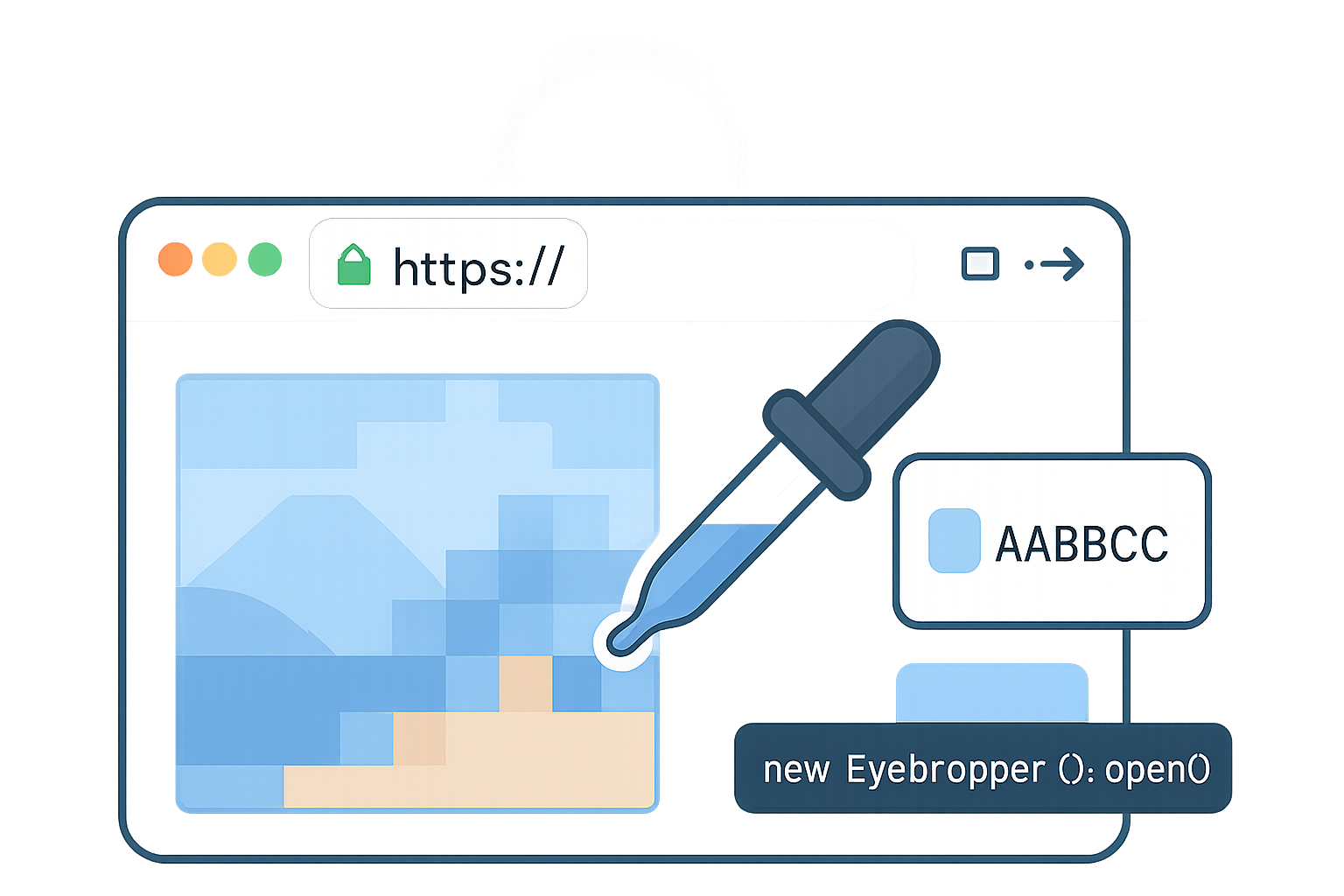
- Trigger the EyeDropper and get a color. 2) Derive a palette from that color. 3) Write CSS variables to :root (or a wrapper) and let CSS style the page.
Basic code - pick a color and set an accent variable
// Feature detect
if ('EyeDropper' in window) {
  const btn = document.querySelector('#pickColor');
  btn.addEventListener('click', async () => {
    try {
      const eyeDropper = new EyeDropper();
      const { sRGBHex } = await eyeDropper.open(); // e.g. "#aabbcc"
      document.documentElement.style.setProperty('--accent', sRGBHex);
    } catch (err) {
      console.log('EyeDropper cancelled or failed', err);
    }
  });
} else {
  // fallback path: show <input type="color"> or allow image upload
}
Notes:
- EyeDropper.open() must be called during a user gesture (click).
- EyeDropper returns sRGBHex; it’s safe to apply directly to CSS variables.
Reference: EyeDropper API on MDN https://developer.mozilla.org/en-US/docs/Web/API/EyeDropper
From accent to complete palette
A single color is rarely enough. Generate variants and decide roles (accent, accent-foreground, muted, surface, border). Use a lightweight color library like chroma.js or tinycolor to compute readable contrasts and tints.
Example using chroma.js (or similar):
// Assuming chroma.js is available
function makePalette(hex) {
  const base = chroma(hex);
  const isDark = base.luminance() < 0.5;

  // Contrast text color: white on dark bases, black on light bases
  const textOnBase = isDark ? '#ffffff' : '#000000';

  return {
    '--accent': base.hex(),
    '--accent-foreground': textOnBase,
    '--accent-10': base.brighten(2).hex(), // lighter
    '--accent-90': base.darken(2).hex(), // darker
    '--muted': base.set('hsl.l', Math.max(0, base.hsl()[2] - 0.25)).hex(),
  };
}

function applyPalette(vars) {
  const root = document.documentElement;
  Object.entries(vars).forEach(([k, v]) => root.style.setProperty(k, v));
}

// usage
const palette = makePalette('#3498db');
applyPalette(palette);
Accessibility: enforce contrast, not just color
Always validate the contrast between foreground and background. The WCAG contrast ratio requirements help you decide whether to adjust the color or replace the foreground color.
- Normal text: 4.5:1
- Large text (≥18pt or bold ≥14pt): 3:1
You can calculate contrast with chroma.js or utilities like wcag-contrast or use your own luminance math. If contrast is insufficient, pick a different foreground (black/white) or slightly shift the base color (darken/lighten) until it meets the ratio.
Example safeTextColor function
function safeTextColor(bgHex) {
  const blackContrast = chroma.contrast(bgHex, '#000');
  const whiteContrast = chroma.contrast(bgHex, '#fff');

  // Prefer the higher-contrast option - but ensure it meets WCAG
  if (blackContrast >= 4.5 || blackContrast >= whiteContrast) return '#000';
  if (whiteContrast >= 4.5 || whiteContrast > blackContrast) return '#fff';

  // If neither meets, pick the best and nudge background toward compliance (fallback)
  return blackContrast > whiteContrast ? '#000' : '#fff';
}
Progressive enhancement & graceful fallbacks
Not all browsers support EyeDropper yet. Progressive enhancement strategies:
- If EyeDropper available: show the “Pick color from screen” flow.
- If not: present + an image upload with canvas sampling.
- Persist chosen palettes to localStorage so the user’s theme survives reloads.
Canvas-based fallback (sampling an uploaded image)
- Let the user upload an image or use a file input.
- Draw it to a canvas with crossOrigin handling (images must be CORS-enabled if remote).
- When user clicks the image, read the pixel at the click coords using getImageData.
Minimal canvas sampling example
const img = document.querySelector('#uploadPreview');
const canvas = document.createElement('canvas');
const ctx = canvas.getContext('2d');

img.addEventListener('load', () => {
  canvas.width = img.naturalWidth;
  canvas.height = img.naturalHeight;
  ctx.drawImage(img, 0, 0);
});

img.addEventListener('click', ev => {
  const rect = img.getBoundingClientRect();
  const x = Math.round(
    (ev.clientX - rect.left) * (img.naturalWidth / rect.width)
  );
  const y = Math.round(
    (ev.clientY - rect.top) * (img.naturalHeight / rect.height)
  );
  const [r, g, b] = ctx.getImageData(x, y, 1, 1).data;
  const hex =
    '#' + [r, g, b].map(v => v.toString(16).padStart(2, '0')).join('');
  applyPalette(makePalette(hex));
});
Note on CORS: drawImage will taint the canvas for images without appropriate CORS headers - you won’t be able to read pixels in that case.
Applying variables carefully
- Scope variables to :root for global themes or to a wrapper element for per-component theming.
- Use semantic variable names: —theme-accent, —theme-surface, —theme-on-accent, etc.
- Prefer transitions for smooth changes:
* { transition: color 200ms, background-color 200ms; }
Example CSS usage (no title here; assume variables set in JS)
:root {
  --theme-accent: #3498db;
  --theme-on-accent: #fff;
  --theme-surface: #ffffff;
}

.button-primary {
  background: var(--theme-accent);
  color: var(--theme-on-accent);
  border: 1px solid color-mix(in srgb, var(--theme-accent) 30%, black);
}
Performance and UX considerations
- Debounce operations that compute heavy palettes if you plan to support drag-selection or continuous sampling.
- Move heavy color-processing to a Web Worker if you compute large palettes or perform clustering (e.g., k-means).
- Limit DOM writes: batch setProperty calls or write to a wrapper element and only update when the palette is ready.
- Animate changes - but respect prefers-reduced-motion.
Security & privacy
- EyeDropper requires a user gesture and only returns the color the user selects; it does not provide a screenshot or expose the underlying page programmatically.
- It requires secure context (HTTPS) - feature-detect and keep a fallback for HTTP or unsupported browsers.
Browser support and progressive adoption
- Check availability at runtime: if (“EyeDropper” in window) {…}
- See docs and current support on MDN https://developer.mozilla.org/en-US/docs/Web/API/EyeDropper.
Storing themes and restoring them
- Save the palette object in localStorage or via a server-side user preference.
- Consider storing the original source color (the one the user selected) and recomputing variants on load, so you can change the derivation algorithm later without breaking stored values.
Example persistence
function saveTheme(baseColor) {
  localStorage.setItem('user-theme-base', baseColor);
}

function restoreTheme() {
  const base = localStorage.getItem('user-theme-base');
  if (!base) return;
  applyPalette(makePalette(base));
}

restoreTheme();
Advanced topics
- Extract multiple dominant colors: use clustering (k-means) on image pixel data to build a multi-color palette and let users pick between palettes.
- Use CSS Container Queries or prefers-color-scheme to combine dynamic theming with layout/size and system dark mode.
- Sync theme color with the browser UI: update the meta theme-color tag (
<meta name="theme-color" content="#...">) to match the accent for an integrated mobile experience.
Example: update meta
function updateMetaThemeColor(color) {
  let meta = document.querySelector('meta[name="theme-color"]');
  if (!meta) {
    meta = document.createElement('meta');
    meta.name = 'theme-color';
    document.head.appendChild(meta);
  }
  meta.content = color;
}
Edge cases & gotchas
- Cross-origin images: canvas sampling fails without CORS.
- EyeDropper vs. sampling a screenshot: EyeDropper is safer and limited; don’t expect to programmatically read arbitrary screen pixels without user action.
- Device pixel ratio: account for scaling between displayed image size and natural size.
- Color spaces: EyeDropper returns sRGB hex, but some images may be in different color spaces; treat sRGB as the canonical web color space.
Putting it together - a recommended component pattern
UI elements:
- Pick color button (EyeDropper-enabled when available)
- Fallback color input and image uploader
- Theme preview swatch grid showing derived colors and contrast stats
- Save/Apply and Reset buttons
Flow:
- User clicks pick -> EyeDropper opens -> user selects a color.
- App builds palette, validates contrast, and presents preview.
- User applies; app updates CSS variables, persists base color, updates meta tag.
Sample full flow (pseudocode)
async function pickAndApply() {
  const hex = await pickColor(); // EyeDropper or fallback
  const palette = makePalette(hex);
  // Validate and adjust
  palette['--theme-on-accent'] = safeTextColor(palette['--accent']);
  applyPalette(palette);
  saveTheme(hex);
  updateMetaThemeColor(palette['--accent']);
}
Future directions
- Native color utilities in CSS are evolving: color-mix(), color-contrast(), and newer color functions will make runtime adjustments easier inside CSS without round-tripping to JS.
- Browser adoption of EyeDropper will grow; combine it with higher-level color management APIs as they appear.
- Declarative design tokens stored in CSS with runtime binding will let designers update tokenization while developers retain stable variable contracts.
References and further reading
- MDN: EyeDropper API - https://developer.mozilla.org/en-US/docs/Web/API/EyeDropper
- MDN: Using CSS Custom Properties (variables) - https://developer.mozilla.org/en-US/docs/Web/CSS/Using_CSS_custom_properties
- WCAG 2.1 contrast requirements - https://www.w3.org/TR/WCAG21/#contrast-minimum
- chroma.js (color manipulation) - https://gka.github.io/chroma.js/
Conclusion - what you’ll ship after this
You can now build a robust color-picker driven theming system that:
- Lets users pick colors directly from the screen (when supported).
- Converts a single user-picked color into a complete, accessible theme using CSS variables.
- Provides fallbacks, persistence, and contrast-safe choices for real-world production use.
Start small: implement a single accent variable and a safe-text utility. Then add variant generation, previews, and persistence. The EyeDropper + CSS variables combo gives you a powerful - and user-focused - pattern for design-driven theming on the web.