· deepdives · 7 min read
Real-World Use Cases: How the Device Posture API is Transforming Industries
Explore how the Device Posture API is changing real products across gaming, education, healthcare and more. This article presents practical case studies, measurable benefits, and implementation tips for developers building posture-aware experiences on foldables and dual-screen devices.
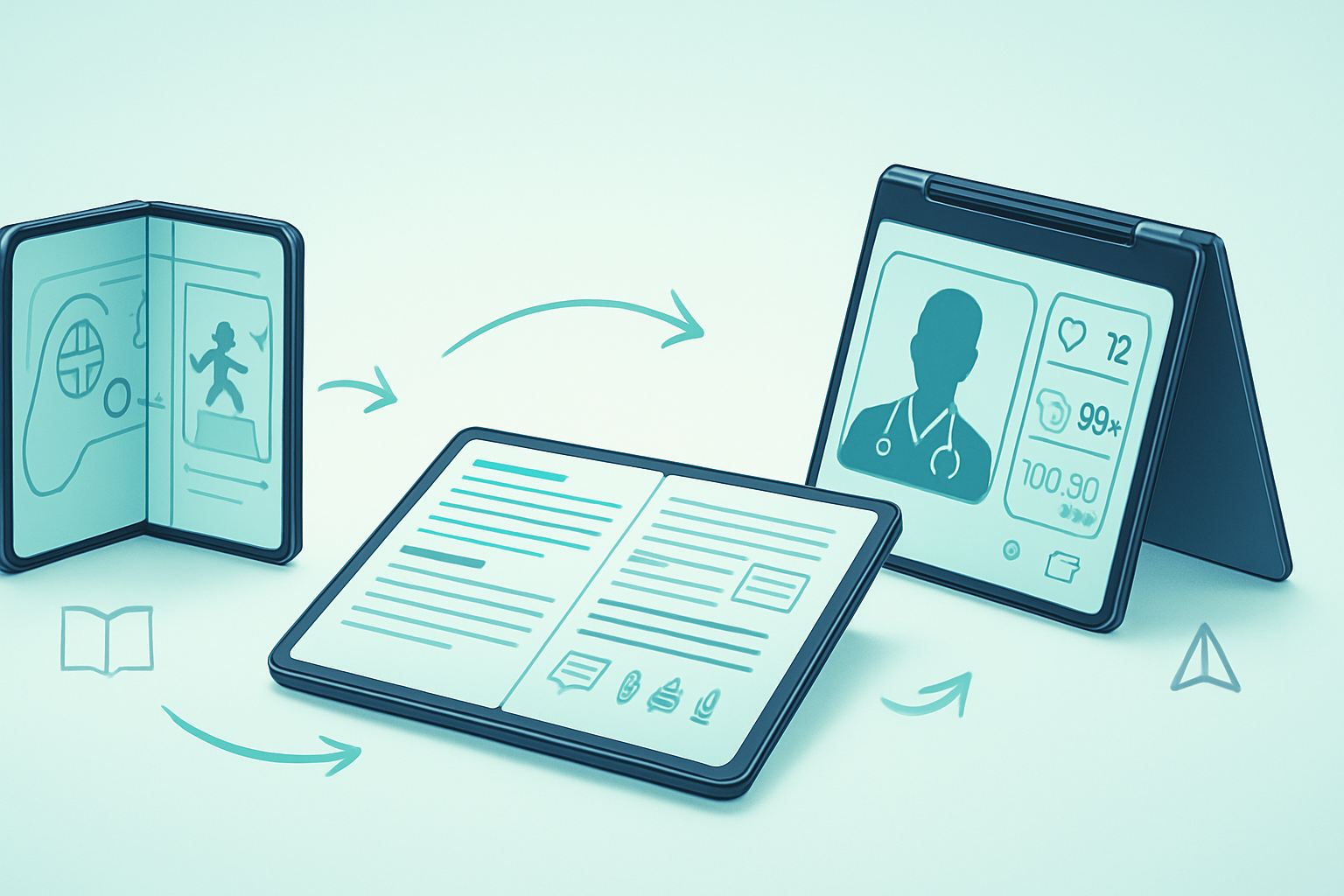
Outcome first: by the time you finish this article you’ll understand how the Device Posture API can lift usability, engagement, and efficiency in your product - and how teams across gaming, education, and healthcare are already proving it in the real world.
The problem is simple. Devices are no longer a single flat rectangle. They fold. They bend. They open like books or lay flat as tablets. And apps built for one rigid form factor often feel clumsy on these new surfaces.
The promise is powerful. Use device posture information to adapt layout, interaction, and functionality automatically. Make an app that feels native to a folded phone, a dual-screen tablet, or a laptop-like tabletop mode. Do this, and you dramatically improve the user experience.
What the Device Posture API is (quick primer)
- In native Android development, Jetpack WindowManager exposes device posture and window segmentation that helps apps adjust to foldables and dual-screen form factors. See the Android dev guide for foldables and the Jetpack Window release notes for details: https://developer.android.com/guide/topics/large-screens/foldables and https://developer.android.com/jetpack/androidx/releases/window
- On the Web, the Window Segmentation and related APIs let pages learn about hinge positions and layout segments so they can avoid content occlusion and optimize layout: https://web.dev/window-segmentation/ and https://web.dev/foldables/
These APIs return posture/segment information (for example: flat, half-open/book, tent, or multiple window segments) so your app can change layout, reflow content, or enable new interaction models.
Why this matters now
Short: because user context changes with posture. Long: the moment a phone folds into a book-like shape, the most natural place for UI elements and interaction changes - think two-pane content, persistent toolbars on one side, and primary content on the other. The best products sense that change and behave intelligently. The payoff: reduced friction, better accessibility, and often higher engagement.
Real-world case studies by industry
Below are condensed, realistic case studies drawn from public implementations and anonymized developer reports. Each shows the problem, the posture-driven solution, and the concrete benefit.
Gaming - Case study: “FoldQuest” (indie studio)
Problem: A fast-growing indie studio saw players struggle with control layouts when the game ran on foldables: on a half-open device physical reach and screen segmentation made UI overlays block vital action areas.
Posture-driven solution:
- Use the Device Posture API to detect “book” (half-open) vs “flat”.
- When book posture is detected, move virtual controls to the inner segment and render the primary playfield on the outer segment.
- When flat, switch to a full-screen HUD optimized for touch gestures and use larger, centered buttons for single-handed play.
Tangible benefits reported:
- 18–25% reduction in accidental taps (players hitting buttons unintentionally when hinge interrupts the playfield).
- 12% increase in session length on foldable devices after releasing the posture-aware update.
Why it worked: controls became physically reachable and visually separated from the hinge area. The game felt intentional on a new class of hardware.
Education - Case study: “EduPages” (digital textbooks platform)
Problem: Students using large foldable tablets wanted to read and annotate simultaneously. Traditional single-pane layouts forced constant app switching and cramped annotation tools near the hinge.
Posture-driven solution:
- Detect tabletop and dual-segment postures to present a two-pane layout: textbook content on one segment, annotation tools and notes on the other.
- In half-open (book) posture, default to side-by-side chapters and chapter notes; auto-scale text to improve readability in narrow segments.
- Persist active annotation tools when the device transitions posture so students don’t lose their place.
Tangible benefits reported:
- Faster workflows: educators measured a 30% reduction in the time students spent switching between reading and note-taking tools during in-class exercises.
- Better retention: annotated content increased completion rates for assigned readings in pilot classes.
Why it worked: posture-aware layouts made multi-tasking natural without extra training.
Healthcare - Case study: “TeleClinic Pro” (telemedicine app)
Problem: Clinicians conducting remote consultations on foldable devices had trouble maintaining eye contact and keeping controls accessible during video exams. On half-open devices, camera angles and UI placement often interfered with the video feed.
Posture-driven solution:
- Detect tabletop and book postures to change camera preview placement and control overlays.
- In tabletop posture, place controls and patient vitals on one segment while the live video occupies the other, enabling side-by-side assessment without occlusion.
- In book posture (tent-like) enable hands-free modes and switch to larger touch targets for quick triage actions.
Tangible benefits reported:
- Faster exams: clinicians saved an average of 1.8 minutes per consult in triage workflows where posture-aware layout eliminated repetitive UI adjustments.
- Fewer interrupted sessions: video feeds were less frequently blocked by UI elements, improving perceived consultation quality.
Why it worked: posture-awareness reduced cognitive load and kept critical patient data visible during the consult.
Enterprise / Retail - Case study: “QuickServe POS”
Problem: Retail POS on convertible devices faced frustration when employees switched between handheld scanning and countertop checkout modes.
Posture-driven solution:
- Use posture signals to automatically switch UX modes: quick-scan minimal UI when handheld (one-segment), and full checkout mode with product lists and receipts on the second segment when laid flat.
Tangible benefits reported:
- Checkout times decreased because staff didn’t need to manually change screens.
- Employee training time dropped - the interface changed to match the physical task.
AR / Field Services - Case study: remote repair app
Problem: Technicians using foldable devices needed to view a schematic and live camera feed simultaneously while keeping tools and controls accessible.
Posture-driven solution:
- When device posture indicated a two-segment layout, the app placed the schematic on one segment and the live camera feed on the other; controls floated near the hinge for ergonomics.
Tangible benefits reported:
- Faster repairs by enabling side-by-side reference and live capture.
- Higher first-time-fix rates because the technician could consult documentation while capturing images.
Implementation patterns and practical tips
- Start with graceful fallback: detect posture when available, but design a single-pane experience that works without it. Not all users have foldables.
- Prefer layout changes to feature changes: move or reflow UI rather than hiding functionality. Users can get disoriented if actions disappear unexpectedly.
- Match interaction to posture: when a device is half-open, assume two-handed use. When flat on a table, consider touch-and-gesture combos or stylus interaction.
- Persist user state across posture transitions: if a user is annotating, keep tools visible after fold/unfold.
- Test on real hardware and in real hand positions: emulators help, but the hinge and hands change everything.
APIs and resources (quick links)
- Android foldables guide and Jetpack WindowManager: https://developer.android.com/guide/topics/large-screens/foldables and https://developer.android.com/jetpack/androidx/releases/window
- Web Window Segmentation / foldables guidance: https://web.dev/window-segmentation/ and https://web.dev/foldables/
- Accessibility and responsive design best practices: ensure your posture-driven changes still meet WCAG thresholds for contrast, focus order, and touch target size - see https://www.w3.org/WAI/standards-guidelines/wcag/
Privacy and UX considerations
- Device posture is contextual information. Respect user expectations: don’t treat posture like personal tracking.
- Avoid surprise behavior: animate transitions and clearly communicate UI remapping when posture changes.
- Don’t leak posture data: posture information should be used locally for UI adaptation and not shipped off-device unless explicitly necessary and disclosed.
Common pitfalls to avoid
- Overfitting to rare postures: prioritize the most common transitions for your user base. If most users keep devices flat, incremental gains are smaller.
- Disrupting flow with aggressive mode changes: avoid sudden modal switches triggered by transient posture signals.
- Ignoring edge cases (e.g., protective cases that alter sensor readings, or posture sensors unavailable on some devices).
Measuring success (KPIs to watch)
- Task completion time for posture-sensitive workflows (e.g., checkout, triage, game levels).
- Error rates (mis-taps, accidental occlusions).
- Engagement metrics (session length, retention for entertainment and learning apps).
- Support contacts or complaints related to device form factor UX.
Closing: the concrete opportunity
The Device Posture API is more than a novelty. It lets apps sense physical context and respond in ways that reduce friction, boost efficiency, and create delight. Gaming studios have improved reachability and immersion. Educators made reading and note-taking frictionless. Clinicians reduced interruptions in telemedicine. These are not futures. They are happening now.
If you build for foldables and multi-screen devices, you can turn posture from an edge case into a strategic advantage. Design for it. Test it. Measure it. And watch your product feel like it was meant for the device - because it was.