· deepdives · 7 min read
Comparing WebCodecs and WebRTC: Which Should You Choose?
A practical, developer-focused comparison of WebCodecs and WebRTC: architecture, latency, transport, scalability, browser support, typical use cases, and a decision checklist to choose the right tool for your project.
Introduction - what you’ll get from this article
You will walk away knowing when to pick WebCodecs and when WebRTC is the smarter choice. You’ll understand the tradeoffs between raw frame/bitstream control and a full-featured real-time communication stack. And you’ll have concrete scenarios and a checklist to guide your decision.
Why this matters. Fast video and audio power experiences now-from cloud gaming and AR to remote collaboration. Choose the wrong API and you pay in latency, complexity, or impossible features. Choose the right one and you ship faster and run leaner.
Quick high-level comparison
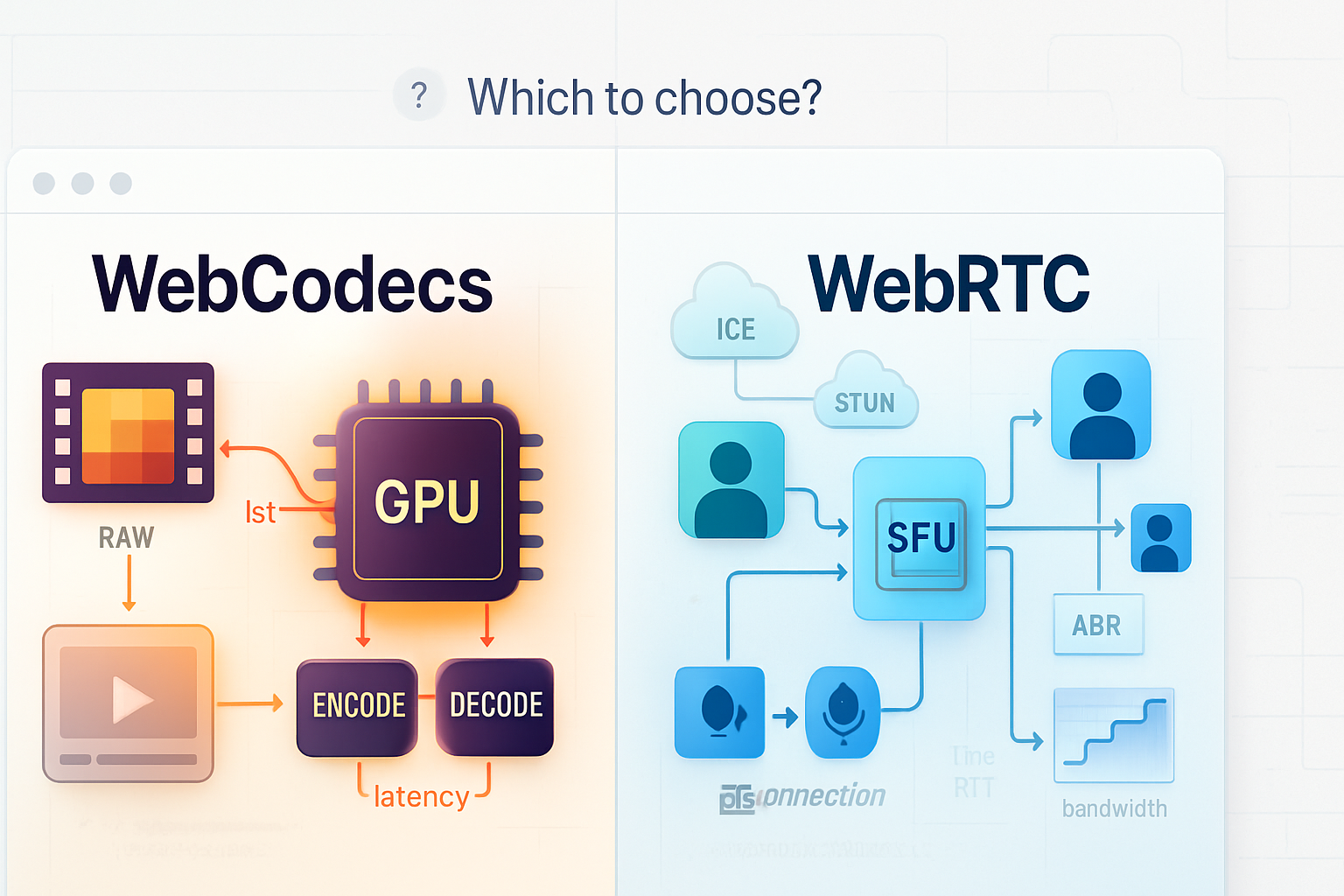
- WebCodecs: low-level API for encoding/decoding frames and bitstreams. Gives you direct access to video frames and compressed data. Ideal when you need custom processing, precise timing, or building a media pipeline.
- WebRTC: high-level real-time communications stack. Handles capture, encoding, network transport (RTP/DTLS/SRTP), NAT traversal (ICE/TURN), congestion control, and optionally group routing (SFU/MCU).
See the specs and docs:
- WebCodecs API: https://developer.mozilla.org/en-US/docs/Web/API/WebCodecs_API and https://w3c.github.io/webcodecs/
- WebRTC: https://webrtc.org/ and https://developer.mozilla.org/en-US/docs/Web/API/WebRTC_API
Deep dive: architecture and responsibilities
WebCodecs - what it gives you
- Primitive operations: encode VideoFrame -> EncodedVideoChunk, decode EncodedVideoChunk -> VideoFrame.
- Access to raw decoded frames (ImageBitmap, VideoFrame) and to compressed chunks.
- No networking. No NAT traversal. No built-in congestion control or jitter handling.
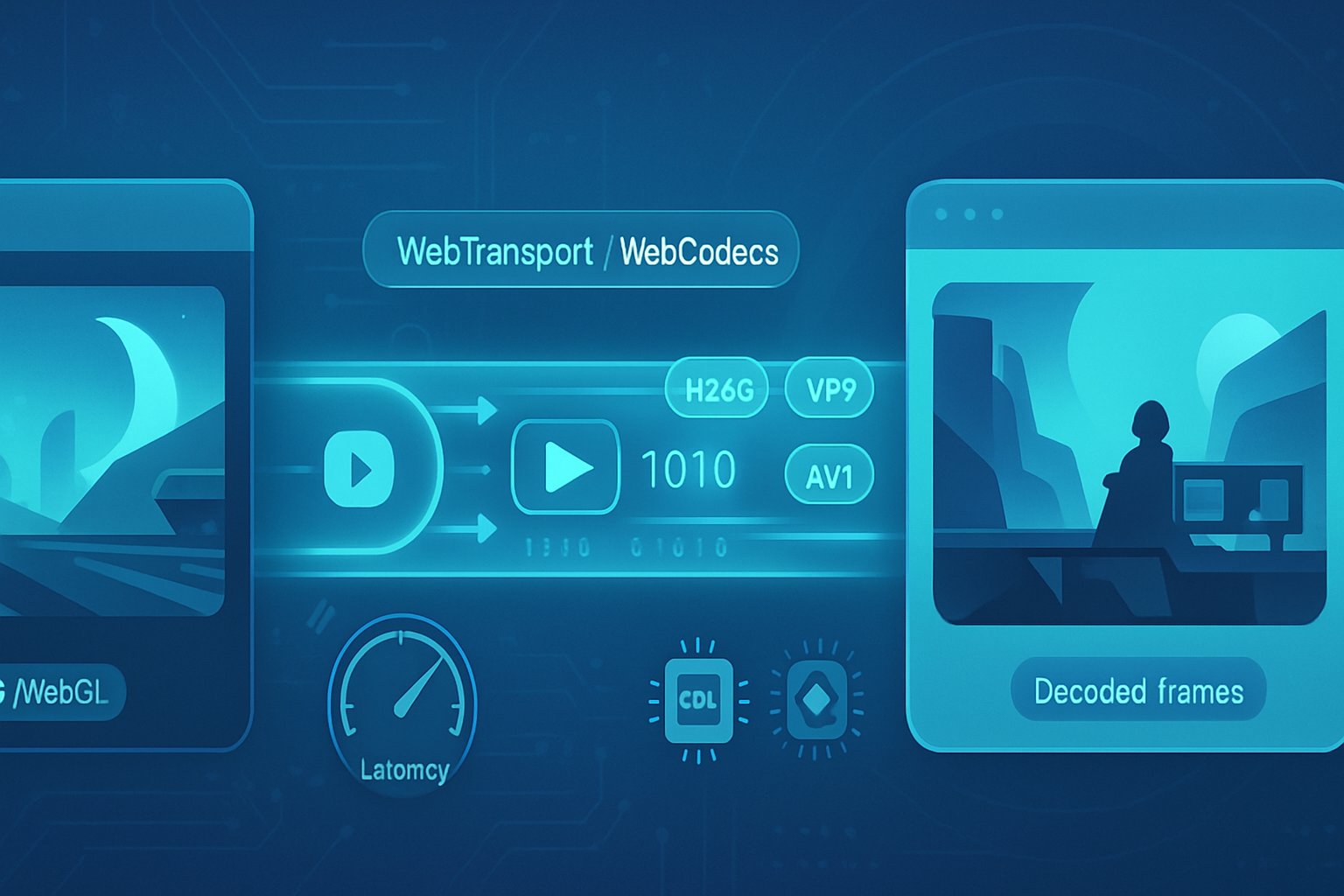
This means you can build custom pipelines: software or hardware acceleration, custom encoders, or integration with WebAssembly-based codecs. But you must handle transport yourself-WebSocket, WebTransport, or native sockets via a server-and you must implement whatever reliability or congestion logic your app requires.
WebRTC - what it gives you
- End-to-end real-time stack: capture, encoding, RTP framing, ICE/STUN/TURN for NAT traversal, SRTP for encryption, congestion control (Google’s BWE, PCC experiments), and built-in peer connection semantics.
- High-level primitives: getUserMedia for capture, RTCPeerConnection for management, and MediaStream tracks.
That saves a ton of engineering time for classic real-time use cases: video calls, screen sharing, multi-party conferencing, and streaming where you want adaptive bitrate and interoperability with other WebRTC endpoints.
Latency, control, and predictability
Latency
WebCodecs can achieve the lowest possible pipeline latency because you control every step. A minimal pipeline (camera -> WebCodecs encoder -> low-latency transport like WebTransport datagrams -> decoder) can be tuned to single-digit tens of milliseconds. Shorter, when hardware encoding and a short network path are available.
WebRTC is optimized for low-latency conferencing and includes adaptive congestion control. Its latency is usually low enough for calls, remote collaboration, and many live experiences, but comes with buffering and adaptation that can sometimes add milliseconds to prioritize stability and smooth playback.
Control and predictability
- WebCodecs: full control of keyframe scheduling, bitrate ladders, codec parameters, and frame presentation timestamps. Predictable when you implement predictable transport and playout.
- WebRTC: relinquishes some control for resilience. Built-in adaptation may change framerate or bitrate automatically. Predictable enough for most apps, but not ideal when you need every microsecond or custom bitstream manipulation.
Transport and network features
- WebRTC: built-in RTP/RTCP, ICE/STUN/TURN, and SRTP. This makes P2P, group calls via SFU, and traversing NAT/firewalls simple for web clients.
- WebCodecs: no transport. Pair with WebTransport (for datagram/stream over QUIC) or WebSocket. Note: WebTransport gives you lower-latency datagrams and reliable streams over QUIC, and is a natural companion for WebCodecs but still requires you to implement packet-level strategies.
Scalability and server-side architecture
- WebRTC shines with SFUs (Selective Forwarding Units). SFUs receive RTP from each participant, forward selective tracks or simulcast layers to others, and can scale multi-party sessions efficiently.
- WebCodecs requires you to design the server-side. For multicast/broadcast you can stream encoded chunks to many clients using CDN-like systems, or use server processes to ingest raw frames and re-encode/forward. This can be more scalable for one-to-many broadcasts if you use CDNs and chunked transport. But you must manage codecs, transrating, and delivery.
Security and privacy
- WebRTC: secure by default. DTLS/SRTP is mandatory, and browsers expose permissioned APIs for capture. Great for communication apps where privacy and safe transport are essential.
- WebCodecs: also runs in the secure context and works with secure capture APIs, but the transport you choose determines end-to-end security. If you use WebTransport over HTTPS/QUIC or implement DTLS yourself, you can reach similar guarantees, but it’s your responsibility.
Browser support and maturity
- WebRTC: mature, widely supported across browsers and platforms. Production-ready for many years.
- WebCodecs: newer and increasingly supported in modern browsers (Chromium-based browsers first, then others). Check current compatibility before depending on it in a cross-browser product. See MDN and browser status pages for up-to-date info: https://developer.mozilla.org/en-US/docs/Web/API/WebCodecs_API
Developer ergonomics and tooling
- WebRTC: easier to get working quickly for typical calls-getUserMedia + RTCPeerConnection + tracks. Many open-source SFUs and SDKs exist (Janus, Jitsi, Mediasoup, Kurento, LiveKit), and server-side ecosystems handle complexity.
- WebCodecs: gives you full flexibility but more to implement. Better tooling will emerge, and community libraries are forming, but you’ll likely be writing or integrating more custom code (especially for transport and orchestration).
Common real-world scenarios and recommendations
- Two-way video chat, conferencing, or collaboration
Choose WebRTC. It already solves capture, encryption, NAT traversal, and adaptive streaming. Use an SFU for multi-party to keep upstream bandwidth low and server complexity manageable.
- Ultra-low-latency interactive gaming or cloud rendering (single producer -> single consumer)
Consider WebCodecs + WebTransport if you need absolute, end-to-end control of frames and minimal transport overhead. WebCodecs lets you tune encoding and reduce buffer-induced latency. WebTransport provides low-latency datagrams over QUIC as a good transport.
- One-to-many live broadcast at scale (e.g., streaming to 10k viewers)
Choose WebRTC if you need real-time interaction with a small audience and want adaptive streams. Choose WebCodecs + CDN/WebTransport if you need broadcast-scale distribution and are prepared to build or use streaming servers (transcoders, HLS/DASH pipelines, or WebTransport-based CDNs). For scale, existing CDN ecosystems are simpler with encoded bitstreams.
- AR/VR, volumetric video, or per-frame GPU processing
WebCodecs. You need frame-level access, GPU interoperability, and possibly custom codecs/transport. WebCodecs’s direct frame access is a must for advanced rendering pipelines.
- Recording high-quality master copies or implementing custom codecs
WebCodecs. Export exact encoder parameters, preserve bit-exact chunk structure, and control keyframes and container formats.
- Browser-based peer-to-peer file/video transfer with live preview
WebRTC. It’s simpler to set up and includes data channels for file transfer alongside media. You get encryption and flow control out of the box.
Minimal examples (conceptual)
WebCodecs encode (very simplified):
// encode a VideoFrame
const encoder = new VideoEncoder({
  output: chunk => sendChunkOverTransport(chunk),
  error: e => console.error(e),
});
encoder.configure({
  codec: 'vp8',
  width: 1280,
  height: 720,
  bitrate: 2_000_000,
});

// assume `frame` is a VideoFrame from canvas or capture
encoder.encode(frame, { keyFrame: false });
WebRTC peer connection (very simplified):
const pc = new RTCPeerConnection();
const stream = await navigator.mediaDevices.getUserMedia({
  video: true,
  audio: true,
});
stream.getTracks().forEach(track => pc.addTrack(track, stream));

// signaling omitted
const offer = await pc.createOffer();
await pc.setLocalDescription(offer);
// send offer to remote peer via signaling server
Checklist: which to choose (short decision flow)
- Do you need NAT traversal, encryption, and adaptive bitrate without writing networking code? -> WebRTC.
- Do you need direct access to raw frames or compressed bitstream for custom processing, AR/VR, or advanced encoding tweaks? -> WebCodecs.
- Is your use case one-to-many at huge scale (CDN)? -> Prefer encoded bitstreams and CDN-friendly transports; WebCodecs helps produce those streams.
- Do you need strong cross-browser support now and easy interoperability? -> WebRTC.
- Do you need ultra-low-latency and are you prepared to manage transport and congestion yourself? -> WebCodecs + WebTransport.
When to combine both
They are not mutually exclusive. Many apps benefit from mixing:
- Use WebRTC for the main interaction layer and WebCodecs for a secondary data channel where you process frames or implement custom capture/encode flows.
- Use WebCodecs to generate a low-latency preview stream while publishing a WebRTC stream for robust multi-party delivery.
Implementation pitfalls and gotchas
- Don’t underestimate transport. Raw frames without congestion control will saturate links. Implement pacing and react to packet loss.
- Codec compatibility matters. WebCodecs gives you access to codecs, but different browsers may expose different codecs or hardware accelerations.
- Security/permissions: both require secure contexts. With WebCodecs you must ensure end-to-end encryption if privacy matters.
- Browser feature flags: WebCodecs is newer-check availability, feature flags, and polyfills.
Performance tuning tips
- For WebCodecs: use hardware-accelerated encoders when possible, tune keyframe intervals and bitrate, and reduce buffering at the playout side.
- For WebRTC: rely on the built-in congestion control, but be mindful of simulcast/SVC configurations and set sensible maxBitrate constraints when creating senders.
Decision summary - the single most important takeaway
If you want a battle-tested, cross-browser solution that frees you from implementing transport, encryption, and NAT traversal, choose WebRTC. If you need full control over frames, codecs, and end-to-end latency and are ready to manage transport and scaling yourself, choose WebCodecs (often paired with WebTransport). Pick the API that matches the part of the stack you’re prepared to own. That is the right choice.
Further reading
- WebCodecs explainer and spec: https://w3c.github.io/webcodecs/
- MDN WebCodecs API overview: https://developer.mozilla.org/en-US/docs/Web/API/WebCodecs_API
- WebRTC official docs: https://webrtc.org/
- WebTransport overview (companion tech for WebCodecs): https://developer.mozilla.org/en-US/docs/Web/API/WebTransport