· tips · 5 min read
Navigating the New DOM APIs: What You Didn't Know About the `Element.closest()` Method
Learn how Element.closest() can simplify ancestor lookups, streamline event delegation, improve readability, and what to watch out for (compatibility, Shadow DOM, performance). Includes examples, polyfill, and best practices.
What you’ll be able to do after reading this
Use a single, readable API to find the nearest ancestor that matches a selector. Reduce custom traversal code. Write cleaner event delegation and more maintainable DOM logic. Simple. Practical. Fast.
Why closest() matters - the outcome first
Stop writing nested loops and fragile parent-walking code. With Element.closest() you get a concise, native, and optimized way to ask: “which ancestor (including the element itself) matches this selector?” Use it in click handlers, form logic, and complex UIs to make intent clear and reduce bugs.
Quick definition and syntax
- Signature:
Element.prototype.closest(selectors) - Returns: the nearest ancestor
Element(including the element itself) that matchesselectors, ornullif none found.
Example:
const btn = document.querySelector('.some-button');
const form = btn.closest('form');
if (form) {
  // found the nearest <form> ancestor
}
If the selector is invalid, the method throws a DOMException. Always validate or catch if the selector might be dynamic.
References: see MDN for details: https://developer.mozilla.org/en-US/docs/Web/API/Element/closest
How it compares to traditional traversal
Before closest() people wrote code like this:
function getClosestBySelector(el, selector) {
  while (el && el.nodeType === 1) {
    if (el.matches(selector)) return el;
    el = el.parentElement;
  }
  return null;
}
That code is fine. But closest() gives you that behavior in a single, native call:
const match = element.closest(selector);Why the native method is better:
- Fewer lines, clearer intent. Readability wins.
- Native implementation is usually faster than a JS loop.
- Less chance of subtle bugs (like accidentally walking non-element ancestors).
Practical patterns - when to use closest()
- Event delegation
document.body.addEventListener('click', event => {
  const button = event.target.closest('.card button');
  if (!button) return; // click not on a matching button
  // handle the click for that button
});
This pattern is robust: you don’t need to bind listeners on every button and you handle dynamically added elements automatically.
- Form/field grouping
const el = someInputElement;
const fieldset = el.closest('fieldset');
Component scoping (finding a host or wrapper) - with caution regarding Shadow DOM (see Limitations)
Accessible widget wiring - find the nearest landmark, group, or control container from any child node.
Common real-world examples
- Find the closest
.modalcontaining a clicked element to close that modal. - From a clicked icon, find the closest
.list-itemto read data attributes. - From an input, find the surrounding
.form-rowto toggle validation UI.
Shadow DOM and root boundaries - what trips people up
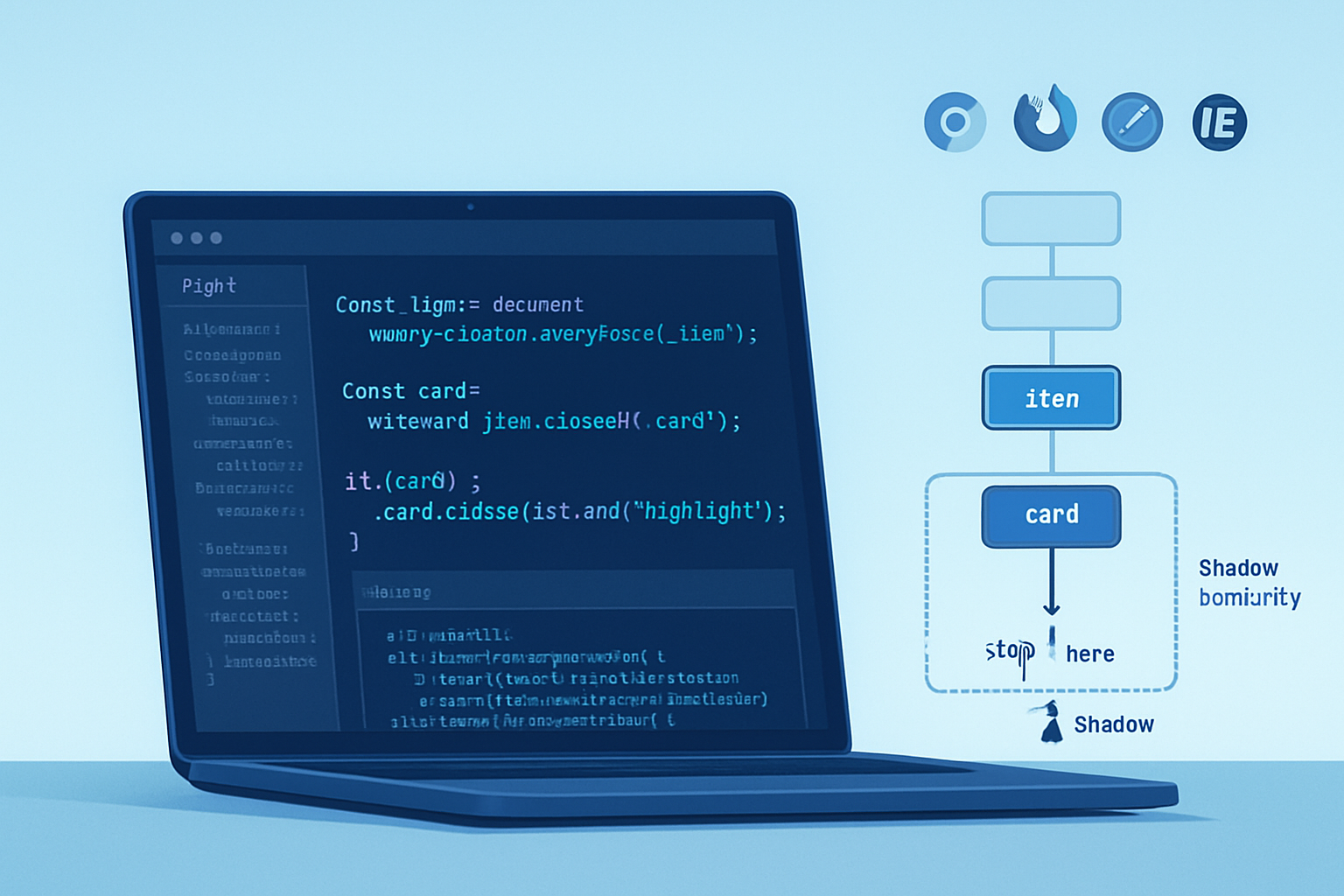
Important: closest() does NOT cross shadow root boundaries. If your element sits inside a shadow root, closest() searches only up to that shadow root. It won’t automatically continue searching into the host’s ancestors.
If you need to reach the host from inside the shadow tree, use:
const root = el.getRootNode();
if (root instanceof ShadowRoot) {
  const host = root.host; // the shadow host element
  // then you can continue searching on host
  const match = host.closest('...');
}
This behavior is by design - shadow boundaries intentionally encapsulate DOM internals.
Reference: Shadow DOM and roots - https://developer.mozilla.org/en-US/docs/Web/API/ShadowRoot
Browser support and polyfill
Most modern browsers support closest. Internet Explorer does not. If you need IE11 support, include a small polyfill.
Minimal polyfill (from common patterns):
if (!Element.prototype.matches) {
  Element.prototype.matches =
    Element.prototype.msMatchesSelector ||
    Element.prototype.webkitMatchesSelector;
}

if (!Element.prototype.closest) {
  Element.prototype.closest = function (selector) {
    let el = this;
    // Walk up the tree until we find a node that matches the selector
    while (el && el.nodeType === 1) {
      if (el.matches(selector)) return el;
      el = el.parentElement;
    }
    return null;
  };
}
For authoritative compatibility info see “Can I use” for Element.closest: https://caniuse.com/?search=closest
Performance considerations
closest()is a native method. Native DOM traversal is generally faster than equivalent JS loops.- But any traversal is O(depth). If you call
closest()repeatedly (e.g., inside a tight loop or for many nodes at once), consider caching results or restructuring logic. - Avoid calling
closest()with complex selectors inside loops. Evaluate whether a singlequerySelectorAll()plus a Set of matches might be cheaper when resolving many nodes in bulk.
Micro-optimization tip: Use specific selectors (class or tag) instead of large combinator-heavy selectors when possible.
TypeScript and typings
Element.closest returns Element | null. Narrow types after calling it:
const el = (event.target as Element).closest('button');
if (el) {
  // TS now knows el is Element, but not necessarily HTMLButtonElement
  const button = el as HTMLButtonElement;
  // or assert with instanceof if available
}
Common pitfalls and gotchas
- It includes the element itself. That’s often useful but sometimes surprising. If you want only ancestors, verify the node isn’t the match itself.
- Invalid selector throws. Wrap dynamic selectors in try/catch or validate first.
- Shadow DOM boundary stops traversal. Use
getRootNodeto detect and handle ShadowRoot hosts. - IE11 requires polyfill if you must support it.
closest()works only for Element nodes. Ifevent.targetcan be a Text node, coerce to parent element first:const el = (event.target.nodeType === Node.TEXT_NODE) ? event.target.parentElement : event.target;
Best practices and rules of thumb
- Prefer
event.target.closest(selector)for event delegation. It’s clear and handles dynamic children. - Use
closest()when you need the nearest matching ancestor. UseparentElementwhen you specifically need the immediate parent. - Don’t overuse
closest()inside massive loops. Batch operations when possible. - Add the small polyfill when you need broad compatibility.
- Always test Shadow DOM components specifically - behavior differs across boundary.
Example: Event delegation done right
<ul id="list">
  <li class="item"><button class="delete">Delete</button></li>
  <li class="item"><button class="delete">Delete</button></li>
</ul>document.getElementById('list').addEventListener('click', event => {
// Works whether the click target is the button or an inner node of the button
const button = event.target.closest('.delete');
if (!button) return;
const item = button.closest('.item');
if (item) item.remove();
});One listener. Clean. Works for elements added later. Easy to reason about.
Final thoughts - the strongest reason to adopt it
Element.closest() turns repeated, error-prone ancestor-walking into a single, intention-revealing call. It makes your event handlers and component code smaller and easier to maintain. Use it for delegation, grouping, and cleanup - and respect Shadow DOM and compatibility limits. A small API. A big readability and maintenance win.
Further reading:
- MDN: Element.closest - https://developer.mozilla.org/en-US/docs/Web/API/Element/closest
- MDN: Element.matches - https://developer.mozilla.org/en-US/docs/Web/API/Element/matches
- Can I Use: Element.closest - https://caniuse.com/?search=closest