· tips · 5 min read
Dynamic Function Creation
Learn how to create functions on-the-fly with one-liners using arrow functions and IIFE. This post covers practical patterns-factories, currying, closures, and event-handling examples-plus pitfalls and best practices.
Outcome first: by the end of this post you’ll be able to create compact, on-the-fly functions with one-liners (arrow functions or IIFEs) and apply them safely in closures and event handling. You’ll write concise factories, curry functions in a single line, and fix classic closure traps in event loops.
Why this matters. Short, dynamic functions make code more expressive. They let you capture state at the moment you create a handler. They remove boilerplate. But they can also hide bugs if misused. We’ll show patterns that are both compact and robust.
Super-quick one-line patterns (the essentials)
- Inline arrow function (mapping):
const doubled = [1, 2, 3].map(x => x * 2);- Currying factory with arrow functions (one-liner):
const add = x => y => x + y;
const add5 = add(5);
console.log(add5(3)); // 8- IIFE that returns a function (one-liner):
const nextId = (() => {
  let id = 0;
  return () => ++id;
})();
console.log(nextId(), nextId()); // 1 2
These are tiny but powerful. The arrow syntax makes factories and curried functions extremely terse.
Use case: closures in loops - the classic trap and the one-liner fix
Classic problem with var + setTimeout:
for (var i = 0; i < 5; i++) {
  setTimeout(() => console.log(i), 100);
}
// prints: 5 5 5 5 5
Each callback shares the same i. Fix with a one-line IIFE that captures the current i:
for (var i = 0; i < 5; i++) {
  (i => setTimeout(() => console.log(i), 100))(i);
}
// prints: 0 1 2 3 4
Or, prefer let in modern code (this is often clearer):
for (let i = 0; i < 5; i++) {
  setTimeout(() => console.log(i), 100);
}
But when let is not an option (older environments or specific patterns), an immediately-invoked arrow function is a compact capture technique.
Event handling: creating handlers on-the-fly that capture state
Imagine you want each button to log its index when clicked. Using a one-liner factory with an IIFE or arrow wrapper you can bind the right value instantly:
const buttons = document.querySelectorAll('button');

for (var i = 0; i < buttons.length; i++) {
  buttons[i].addEventListener(
    'click',
    (
      i => () =>
        console.log('button', i)
    )(i)
  );
}
Read that from inside out: ((i) => () => console.log(i))(i) creates a function that captures the current i and returns the handler. It’s created and passed in one go.
If you prefer named clarity, write a small factory:
const makeClicker = i => () => console.log('button', i);
buttons.forEach((btn, i) => btn.addEventListener('click', makeClicker(i)));
Both approaches are valid. The one-liner shines when the capture is straightforward and you want to avoid an extra named function.
Advanced: concise debouncer as a factory
A debounce factory is a common pattern where a small dynamic function makes a big difference. Here’s a compact arrow-factory (kept readable on a few lines):
const debounce = (fn, wait = 200) => {
  let t;
  return (...args) => {
    clearTimeout(t);
    t = setTimeout(() => fn(...args), wait);
  };
};

// Usage
window.addEventListener(
  'resize',
  debounce(() => console.log('resized'), 150)
);
If you insist on a single-line version (less readable):
const debounce = (fn, w = 200) => {
  let t;
  return (...a) => {
    clearTimeout(t);
    t = setTimeout(() => fn(...a), w);
  };
};
One-liners can be dense. Prefer multi-line where clarity matters.
Pattern: property accessor factory (very useful in collections)
Create small dynamic getters on the fly:
const prop = key => obj => obj[key];
const people = [{ name: 'A' }, { name: 'B' }];
console.log(people.map(prop('name'))); // ['A','B']
This is a tiny factory that is readable and expressive.
Memoization (compact factory)
A short memo wrapper that returns a memoized version of a pure function:
const memoize = fn => {
  const cache = new Map();
  return (...args) => {
    const key = JSON.stringify(args);
    if (cache.has(key)) return cache.get(key);
    const res = fn(...args);
    cache.set(key, res);
    return res;
  };
};

const slowAdd = (a, b) => {
  /* expensive */ return a + b;
};
const fastAdd = memoize(slowAdd);
Again, you can compress to a single logical line, but keeping it structured helps debugging.
When to avoid one-liners
- Readability: if it takes a paragraph to explain the one-liner, expand it. Short is not always better.
- Debugging: anonymous on-the-fly functions often appear as “anonymous” in stack traces. Name them if you need traceability.
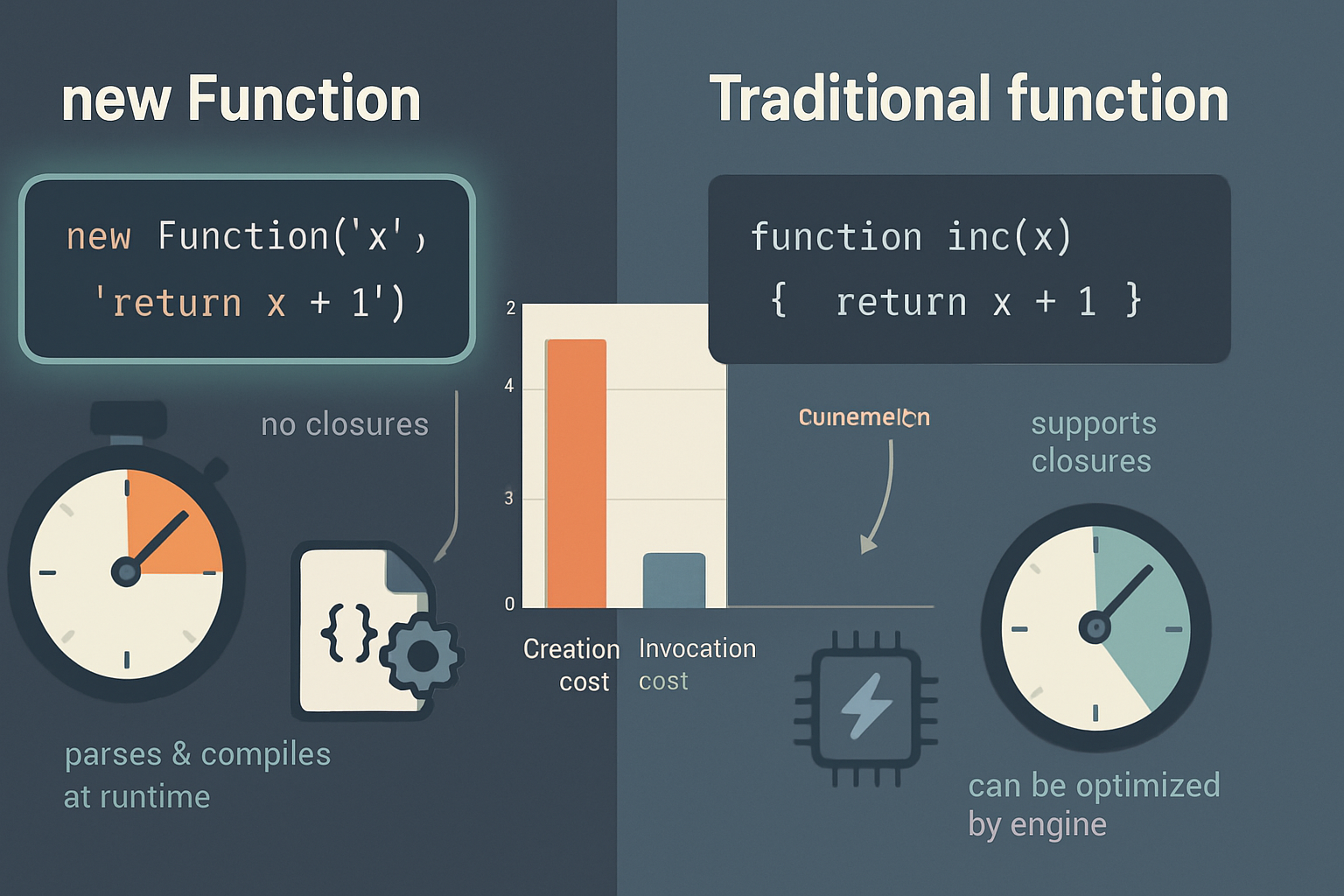
- Security/performance: avoid
new Function(...)orevalfor dynamic creation unless absolutely necessary; they are slower and risky.
See MDN for Function constructor and why it’s generally discouraged.
Quick checklist for safe dynamic function creation
- Prefer arrow factories for concise composition and currying.
- Use IIFEs or arrow-IIFEs to capture loop variables in older patterns where
letisn’t viable. - Name complex functions when you need stack traces or clarity.
- Avoid
eval/Functionunless you have a compelling, controlled reason. - When in doubt, prefer readability: expand the one-liner into a few lines.
References and further reading
- Arrow functions (MDN): https://developer.mozilla.org/en-US/docs/Web/JavaScript/Reference/Functions/Arrow_functions
- Immediately-invoked function expressions (IIFE) explanation: https://developer.mozilla.org/en-US/docs/Glossary/IIFE
- Closures (MDN): https://developer.mozilla.org/en-US/docs/Web/JavaScript/Closures
- EventTarget.addEventListener (MDN): https://developer.mozilla.org/en-US/docs/Web/API/EventTarget/addEventListener
One-liners built with arrow functions or IIFEs let you create focused, stateful handlers and factories at the exact moment you need them. They make code more expressive when used with discipline. Use them to capture state, compose behavior, and reduce ceremony - but stop and expand when clarity or debuggability demands it.